Introduction
Creating useful website content is important for SEO, but your website also needs a strong technical foundation. Search engines must be able to discover your pages, access their content, understand their structure, and potentially include them in search results.
This is where technical SEO comes in.
Technical SEO focuses on improving the technical aspects of a website so search engines can crawl and index its content efficiently while visitors enjoy a reliable browsing experience.
Whether you operate a WordPress blog, an online tools website, an eCommerce store, or a business website, technical SEO can help you identify problems that affect website accessibility, performance, and search visibility.
In this beginner-friendly guide, you will learn what technical SEO is, why it matters, its most important elements, and how to improve your website step by step.
What Is Technical SEO?
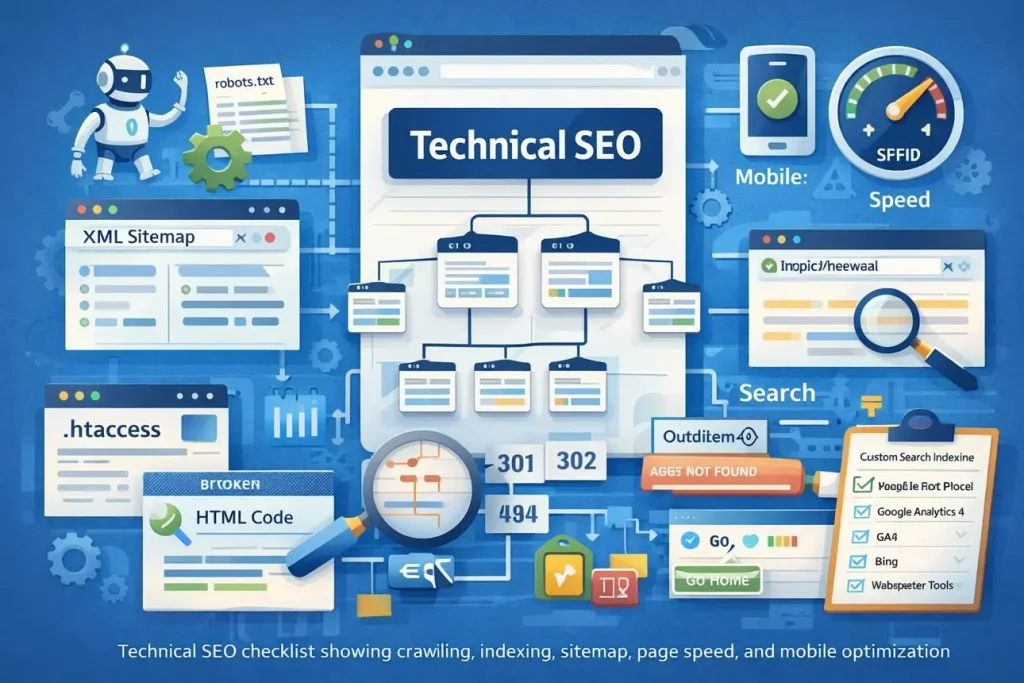
Technical SEO is the process of optimizing a website’s technical infrastructure to help search engines discover, crawl, render, and index its webpages.
It focuses on areas such as:
- Website crawling and indexing
- XML sitemaps
- Robots.txt configuration
- HTTPS security
- Website loading performance
- Mobile usability
- Structured data
- Canonical URLs
- Redirects and broken links
- Website architecture
For example, imagine publishing 50 useful articles on your website. If important pages are accidentally blocked from search engines, those pages may not be discovered or indexed as intended.
Technical SEO helps you identify and resolve these types of problems.
Why Is Technical SEO Important?
A technically accessible website provides a stronger foundation for search visibility and user experience.
Here are some important benefits:
- Better crawling: Helps search engines discover important website pages.
- Improved indexing: Helps prevent avoidable technical problems that stop eligible pages from being indexed.
- Better performance: Optimizing loading speed can improve the browsing experience.
- Website security: HTTPS protects information exchanged between browsers and websites.
- Mobile accessibility: Responsive design makes websites easier to use on smartphones.
- Clear website structure: Logical navigation helps visitors and search engines understand your content.
- Reduced technical errors: Identifying broken links, redirect problems, and duplicate URL issues improves website maintenance.
Technical SEO does not guarantee rankings or indexing. It helps make your website easier to access, understand, and maintain.
10 Important Elements of Technical SEO
1. Website Crawling
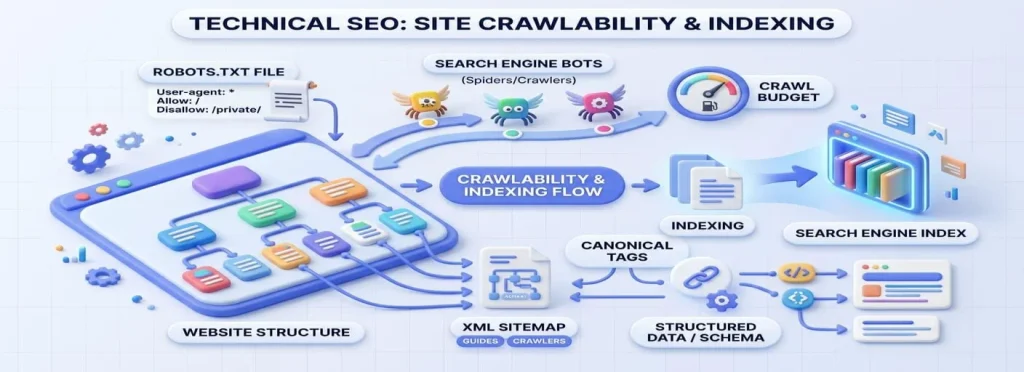
Crawling is the process through which search engine bots discover and access webpages.
For example, Googlebot may discover your website through:
- Internal links
- External backlinks
- XML sitemaps
- Previously known URLs
- Other discovery methods
To support crawling:
- Create logical website navigation.
- Add internal links to important pages.
- Avoid accidentally blocking important resources.
- Fix server errors.
- Maintain an accurate XML sitemap.
2. Website Indexing
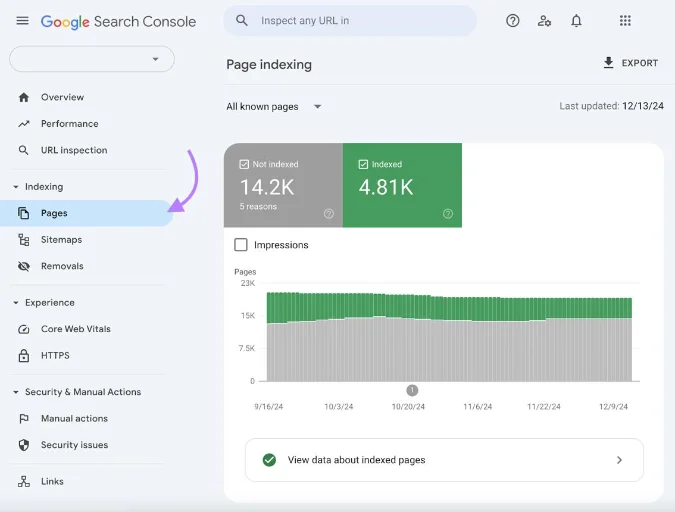
Indexing happens when a search engine processes a webpage and may include its content in its search index.
A page being crawled does not guarantee that it will be indexed.
Common reasons for indexing problems include:
- Noindex directives
- Duplicate content
- Soft 404 pages
- Insufficient content value
- Server accessibility problems
- Canonicalization issues
Use Google Search Console’s URL Inspection tool to examine individual URLs and understand their reported indexing status.
3. XML Sitemap
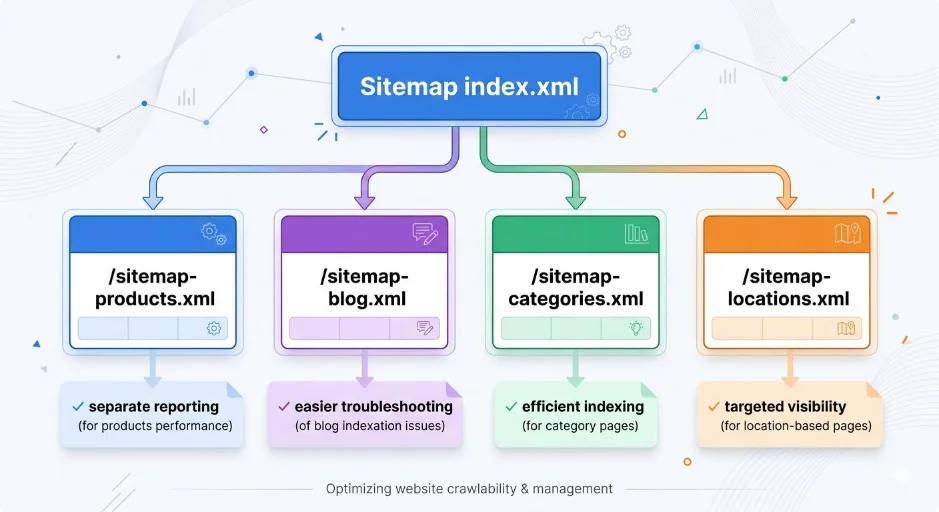
An XML sitemap is a file that lists important website URLs and provides information that can help search engines discover your content.
A typical WordPress sitemap might look like:
https://example.com/sitemap_index.xml
Depending on your SEO plugin and website configuration, the sitemap may include separate files for:
- Posts
- Pages
- Categories
- Products
- Other public content types
Best practices:
- Include important, indexable URLs.
- Exclude unnecessary or noindex pages.
- Use canonical URLs.
- Keep the sitemap updated.
- Submit the sitemap through Google Search Console.
Remember that submitting a sitemap does not guarantee indexing.
4. Robots.txt File
The robots.txt file provides crawling instructions to search engine bots.
A simple example is:
User-agent: *
Allow: /

Disallow: /wp-admin/
Disallow: /search/

Sitemap: https://example.com/sitemap_index.xml
This is only an example. Your actual rules should reflect your website structure.
Important points:
- Do not block important public pages.
- Do not use robots.txt as a replacement for noindex.
- Remember that a blocked URL may still appear in search results without a description if discovered through external links.
- Check your robots.txt before making major changes.
5. HTTPS Website Security
HTTPS encrypts communication between a website and its visitors.
A secure website normally uses an SSL/TLS certificate and loads through an HTTPS address.
Example:
Secure website
Insecure HTTP connection
http://example.com
Best practices:
- Install a valid SSL/TLS certificate.
- Redirect HTTP pages to HTTPS.
- Update internal links to HTTPS.
- Fix mixed-content warnings.
- Use one preferred website version.
6. Website Loading Speed
Website performance affects how visitors experience your pages.
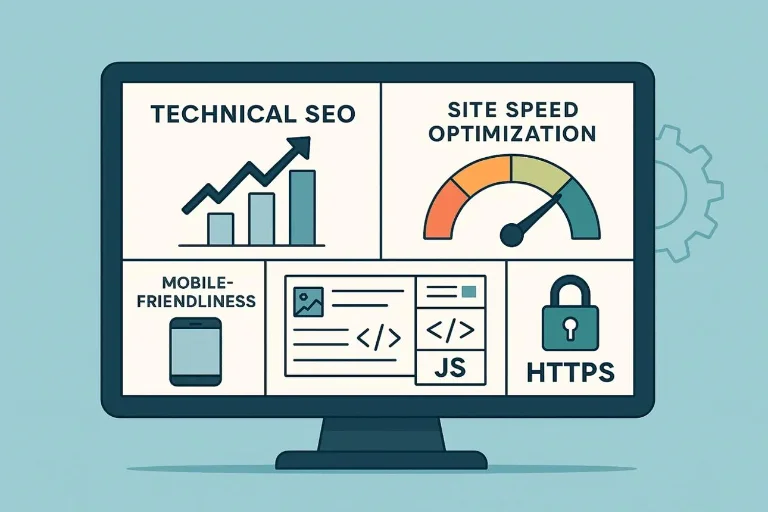
A slow website can frustrate users, especially when they are browsing on mobile devices or slower internet connections.
Ways to improve performance:
- Compress large images.
- Use modern image formats where appropriate.
- Enable browser caching.
- Reduce unnecessary JavaScript and CSS.
- Choose reliable hosting.
- Use a content delivery network when appropriate.
- Avoid unnecessary plugins and scripts.
Google’s Core Web Vitals provide useful measurements of real-world user experience.
| Metric | What it measures | Good target |
|---|---|---|
| LCP | Loading performance | 2.5 seconds or less |
| INP | Interaction responsiveness | 200 ms or less |
| CLS | Visual stability | 0.1 or less |
These are Google’s commonly published good thresholds, assessed at the 75th percentile of page visits.
7. Mobile-Friendly Website Design
Many people access websites through smartphones and tablets.
Your website should adapt to different screen sizes.
Check that:
- Text is readable without zooming.
- Buttons are easy to tap.
- Navigation works on mobile.
- Images fit the screen.
- Tables and tools do not overflow.
- Forms work correctly.
- Important content is accessible.
Google primarily uses the mobile version of website content for indexing, so make sure it contains the important information available on desktop.
8. Canonical URLs
Canonical tags help indicate the preferred URL when multiple URLs contain identical or very similar content.
Example:
<link rel="canonical" href="https://example.com/seo-guide/" />Canonicalization can help search engines understand which URL should represent a group of duplicate or similar pages.
Use canonical tags carefully:
- Point to the preferred version of the page.
- Avoid canonicalizing unrelated pages.
- Use consistent HTTPS URLs.
- Check canonical settings in your SEO plugin.
- Avoid unnecessary canonical conflicts.
9. Structured Data and Schema Markup
Structured data provides search engines with additional information about webpage content using a defined format, commonly JSON-LD.
Examples include:
- Article
- BreadcrumbList
- Product
- Organization
- LocalBusiness
- Recipe
- SoftwareApplication
Example of basic Article schema:
<script type="application/ld+json">
{
  "@context": "https://schema.org",
  "@type": "Article",
  "headline": "What Is Technical SEO?",
  "description": "A beginner's guide to technical SEO.",
  "author": {
    "@type": "Organization",
    "name": "Example Website"
  }
}
</script>
This is a simplified example. Your published schema should contain accurate information about the actual page.
Structured data does not guarantee rich results or higher rankings. Google has eligibility and content guidelines for supported search features.
10. Fix Broken Links and Redirect Errors
Broken links lead visitors to unavailable pages and can make website navigation frustrating.
Common HTTP status codes include:
| Status code | Meaning |
|---|---|
| 200 | Successful request |
| 301 | Permanent redirect |
| 302 | Temporary redirect |
| 403 | Access forbidden |
| 404 | Page not found |
| 500 | Internal server error |
Check important URLs regularly and fix incorrect internal links.
If you permanently move a page, use an appropriate 301 redirect to the most relevant replacement. Avoid redirect chains and redirecting unrelated deleted pages to your homepage.
Technical SEO Checklist for WordPress Websites
Use this checklist to review your website’s technical health.
Technical SEO checklist
0/15
Install and verify HTTPS security
Create and check an XML sitemap
Submit the sitemap in Google Search Console
Review robots.txt rules
Check important pages for noindex directives
Inspect canonical URLs
Test website performance and Core Web Vitals
Check mobile responsiveness
Fix important broken internal links
Review redirect chains and errors
Add accurate structured data where appropriate
Check important pages with URL Inspection
Remove unnecessary plugins and scripts
Review server errors and website availability
Ensure important pages are internally linked
Reset checklist
Best Technical SEO Tools
| Tool | Main purpose |
|---|---|
| Google Search Console | Monitor indexing, crawling, and search performance |
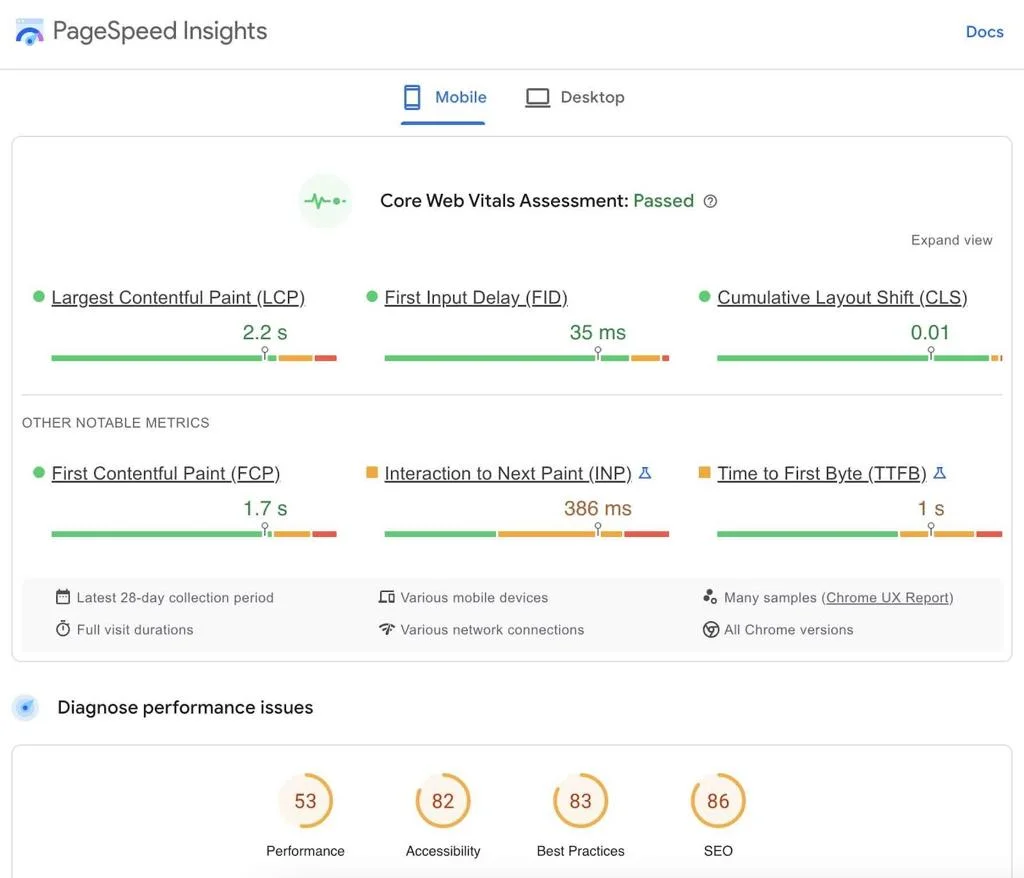
| Google PageSpeed Insights | Test page performance and Core Web Vitals |
| Google Rich Results Test | Check eligibility for supported rich results |
| Screaming Frog SEO Spider | Crawl websites and find technical issues |
| GTmetrix | Analyze website loading performance |
| Bing Webmaster Tools | Monitor website performance in Bing search |
Free and paid features vary by tool.
Common Technical SEO Mistakes to Avoid
- Blocking important pages in robots.txt.
- Accidentally adding noindex to valuable pages.
- Forgetting to redirect URLs after changing their addresses.
- Submitting outdated or incorrect sitemap URLs.
- Using inconsistent canonical tags.
- Ignoring mobile website problems.
- Uploading unnecessarily large images.
- Installing too many performance-heavy plugins.
- Publishing incorrect structured data.
- Assuming that a submitted sitemap guarantees indexing.
Conclusion
Technical SEO provides the foundation that helps search engines access and understand your website. From XML sitemaps and robots.txt to HTTPS, Core Web Vitals, canonical URLs, and structured data, each element contributes to a healthier website.
Start by checking your important pages in Google Search Console, reviewing your sitemap, and testing your website performance. Fix the most important accessibility and indexing problems first.
Consistent technical improvements, combined with useful content and responsible link building, can help your website develop a stronger foundation for long-term organic search growth.
Frequently Asked Questions (FAQs)
Technical SEO means improving the technical structure of your website so search engines can access, understand, and process its webpages more effectively.
Yes. WordPress websites also need proper indexing settings, sitemaps, security, performance optimization, and a logical website structure.
Important areas include crawling, indexing, HTTPS, XML sitemaps, robots.txt, mobile responsiveness, Core Web Vitals, canonical URLs, and structured data.
Time needed: 5 minutes
Learn what technical SEO is and discover how to improve website crawling, indexing, speed, security, and overall performance.
- What is the difference between crawling and indexing?
Crawling means discovering and accessing a webpage. Indexing means processing its content and potentially adding it to a search engine’s index.