

Write SEO-Friendly Blog Posts
Writing a blog post is easy, but creating content that attracts organic traffic requires planning, research, and optimization. A successful article should answer readers’ questions, provide useful information, and make it easy for search engines to understand its topic.
SEO-friendly writing combines helpful content with good page structure, relevant keywords, descriptive headings, internal links, and a positive reading experience.
Whether you publish articles on WordPress, run a business blog, or manage an online tools website, learning how to write SEO-friendly blog posts can help you build a stronger content strategy.
In this guide, you’ll learn how to research topics, write engaging articles, optimize your content, and improve your chances of appearing in relevant Google search results.

What Is an SEO-Friendly Blog Post?
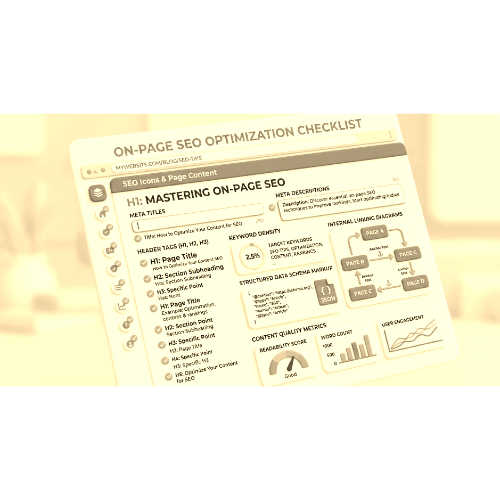
An SEO-friendly blog post is an article designed to satisfy readers’ needs while making its subject clear to search engines.
It generally includes:
- A relevant topic and primary keyword.
- A descriptive SEO title.
- An engaging introduction.
- Organized headings and subheadings.
- Accurate and useful information.
- Relevant images.
- Internal and external links where helpful.
- A readable URL.
- A useful conclusion.
SEO-friendly does not mean writing for search engines instead of people. The main purpose should always be helping readers.
Why Are SEO-Friendly Blog Posts Important?
Well-written and properly organized articles can support your website’s long-term growth.
Some benefits include:
- Organic search visibility: Relevant content can appear for useful search queries.
- Audience engagement: Helpful articles give visitors reasons to explore your website.
- Topical coverage: Related posts help you cover important subjects.
- Internal linking opportunities: Articles can direct visitors to relevant pages and tools.
- Long-term value: Useful content can continue attracting visitors after publication.
- Brand credibility: Accurate explanations and practical examples help establish trust.
Remember that publishing SEO-friendly articles does not guarantee rankings. Competition, relevance, website quality, and many other factors matter.
Step 1: Choose a Relevant Blog Topic

Start with a topic that matches your website and your audience’s interests.
For example, if your website provides online tools, possible topics include:
- How to compress images without losing quality.
- How to convert PDF files online.
- How to calculate monthly salary.
- How to improve website loading speed.
- Best free tools for everyday tasks.
Choose topics that support your website’s main purpose.
Avoid publishing unrelated articles simply because they have high search volume.
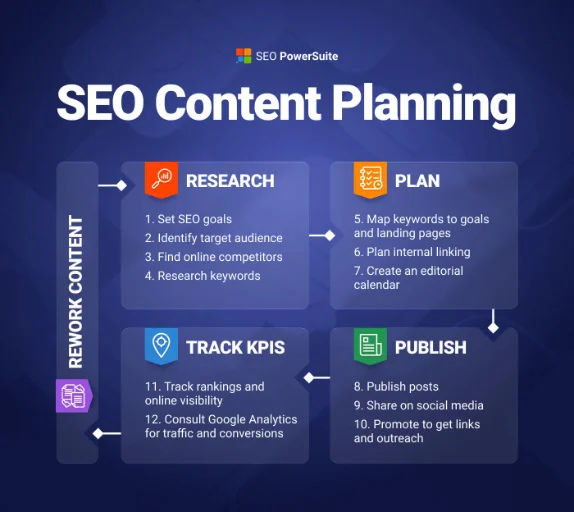
Step 2: Perform Keyword Research
Before writing, identify the search phrases people use when looking for information about your topic.
You can find keyword ideas through:
- Google Autocomplete.
- People Also Ask.
- Google Related Searches.
- Google Keyword Planner.
- Google Search Console.
- SEO research platforms.
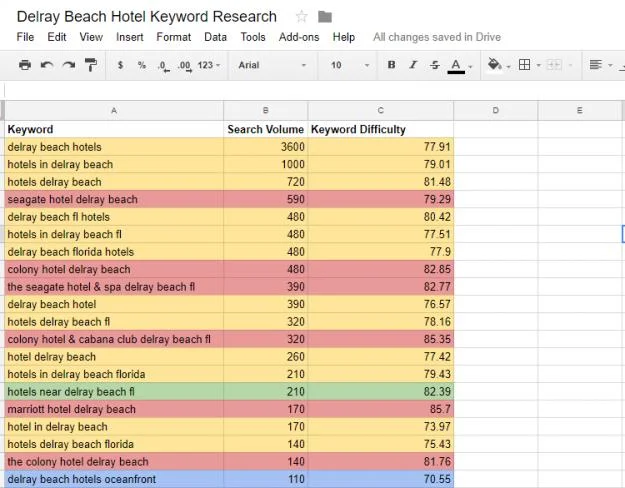
For example, if your topic is image compression, you might discover:
| Keyword | Content purpose |
|---|---|
| How to compress images | Main tutorial topic |
| Compress JPG online free | Related tool search |
| Reduce image file size | Supporting phrase |
| How to compress PNG without losing quality | Specific question |
| Best image compression settings | Supporting topic |
Choose one primary keyword and closely related supporting phrases.
Step 3: Understand Search Intent
Search intent is the reason behind a search query.
Before writing, search your primary keyword in Google and examine the results.
Ask:
- Are the top results tutorials?
- Are they product pages?
- Are they comparison articles?
- Are they online tools?
- Do they answer specific questions?
Your article should match what searchers expect.
For example, someone searching “what is image compression” probably wants an explanation, while someone searching “compress image online” may want an actual working tool.
Step 4: Create an SEO-Friendly Title
Your title is one of the first things readers see in search results.
Compare these examples:
Weak title: Image Compression
Better title: How to Compress Images Without Losing Quality
A useful SEO title should:
- Describe the article accurately.
- Include the primary keyword naturally.
- Communicate a clear benefit.
- Be easy to understand.
- Avoid misleading promises.
- Be distinct from other page titles.
You can use numbers or words such as “Guide,” “Tips,” and “Step-by-Step” when they accurately describe the content.
Step 5: Write an Engaging Introduction
Your introduction should explain the topic and tell readers what they will learn.
A simple structure is:
- Introduce the reader’s problem.
- Explain why the topic matters.
- Mention the solution or information provided.
- Preview the article’s main sections.
For example:
“Large images can slow down a website and create a poor browsing experience. Image compression helps reduce file sizes while maintaining suitable visual quality. In this guide, you’ll learn how to compress images, choose the right formats, and optimize pictures for your website.”
Keep the introduction focused. Avoid long paragraphs that delay the useful information.
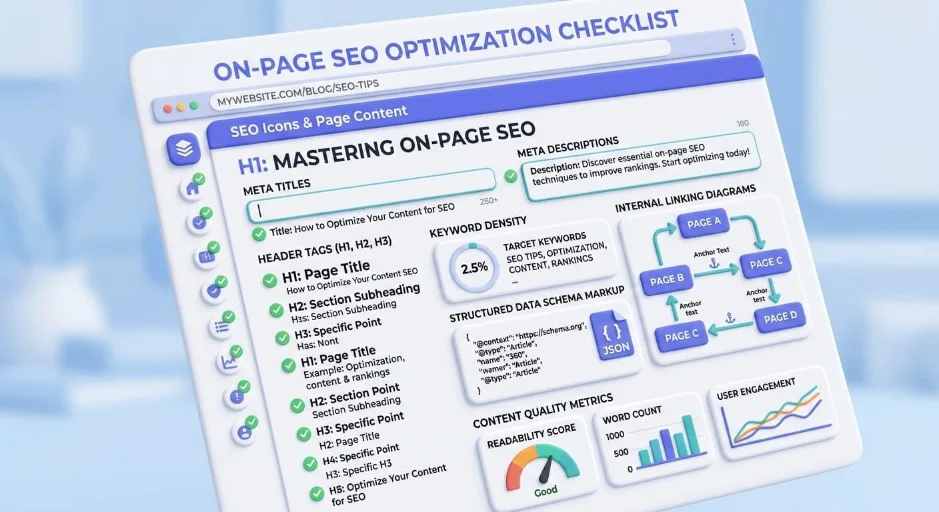
Step 6: Organize Your Article With Headings
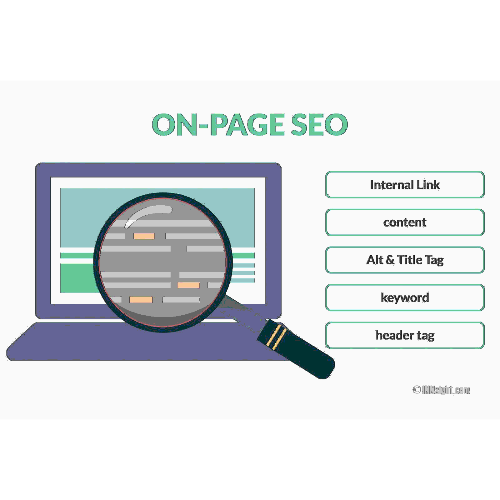
Headings make articles easier to scan and understand.
A typical structure looks like this:
– H1: How to Compress Images Without Losing Quality
- H2: What Is Image Compression?
- H2: Why Should You Compress Images?
- H2: How to Compress Images Online
- H3: Choose Your Image
- H3: Select Compression Settings
- H3: Download the Result
- H2: Best Image Formats for Websites
- H2: Common Compression Mistakes
- H2: Frequently Asked Questions
Use meaningful heading levels and ensure that each section contains information related to its heading.
Step 7: Write Helpful, Original Content
Your article should provide information that genuinely helps readers.
Follow these writing practices:
- Explain concepts in simple language.
- Provide practical examples.
- Include accurate instructions.
- Answer related questions.
- Use short paragraphs when appropriate.
- Remove unnecessary repetition.
- Check facts before publishing.
- Include original insights or useful demonstrations.
Do not copy articles from competitors or rewrite their content sentence by sentence.
If you use AI writing tools, review the output carefully. Add accurate information, examples, useful experience, and meaningful improvements. The important issue is content quality and usefulness, not simply whether a tool was used.
Step 8: Add Relevant Images and Visual Examples
Images can make complex topics easier to understand.
For example, an article about website optimization could include:
- A screenshot of an image compression tool.
- A comparison of image file sizes.
- A diagram explaining image formats.
- A step-by-step demonstration.
Image optimization checklist:
- Use relevant images.
- Choose appropriate dimensions.
- Compress large image files.
- Use suitable formats such as WebP or JPEG.
- Write descriptive alt text.
- Give files meaningful names.
- Use responsive image sizes.
Example:
Filename: compress-images-online.jpg
Alt text: Online image compression tool showing image upload and file size reduction.
Avoid using irrelevant stock images simply to increase the number of images in an article.
Step 9: Add Internal and External Links
Internal links connect your article to other pages on your website.
For example, a blog post about image compression could link to:
- Your online image compressor.
- Your image resizer.
- Your image format converter.
- Your website speed optimization guide.
External links can point to reliable documentation, research, or official resources when they help readers.
Use descriptive anchor text and ensure that every link is relevant.
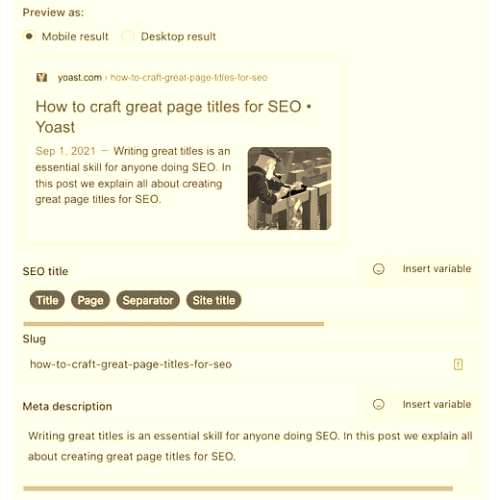
Step 10: Optimize Your URL and Meta Description
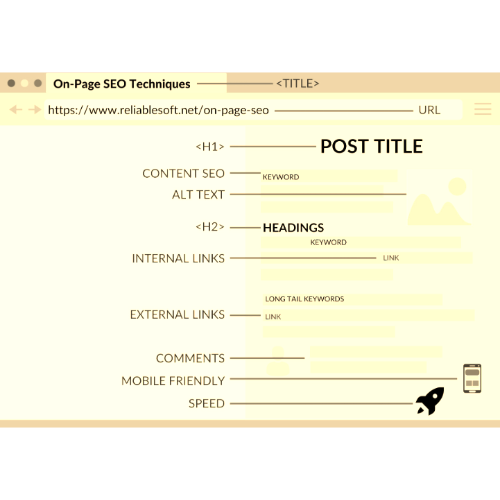
A clean URL helps readers understand the subject of your article.
Example:
example.com/how-to-compress-images/
Avoid unnecessarily long URLs containing random characters or excessive words.
Your meta description should briefly summarize the article.
Example:
“Learn how to compress images without losing quality using simple online methods, suitable formats, and practical optimization tips.”
Write a unique description for each important page. Google may generate a different search snippet depending on the search query.
Step 11: Review Your Article Before Publishing
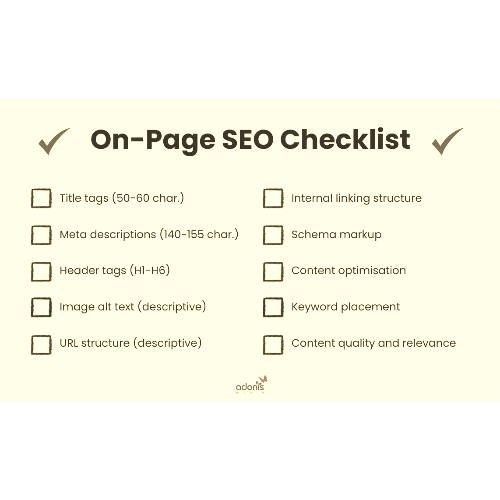
Before publishing, check the following:
| Element | What to review |
|---|---|
| Title | Clear and relevant |
| Introduction | Explains the topic |
| Keywords | Used naturally |
| Headings | Logical structure |
| Content | Accurate and helpful |
| Images | Relevant and optimized |
| Alt text | Descriptive |
| Internal links | Relevant destinations |
| URL | Clear and readable |
| Meta description | Useful summary |
| Mobile layout | Easy to read |
| Spelling | Proofread carefully |
Step 12: Monitor Your Article After Publication
SEO work continues after publishing.
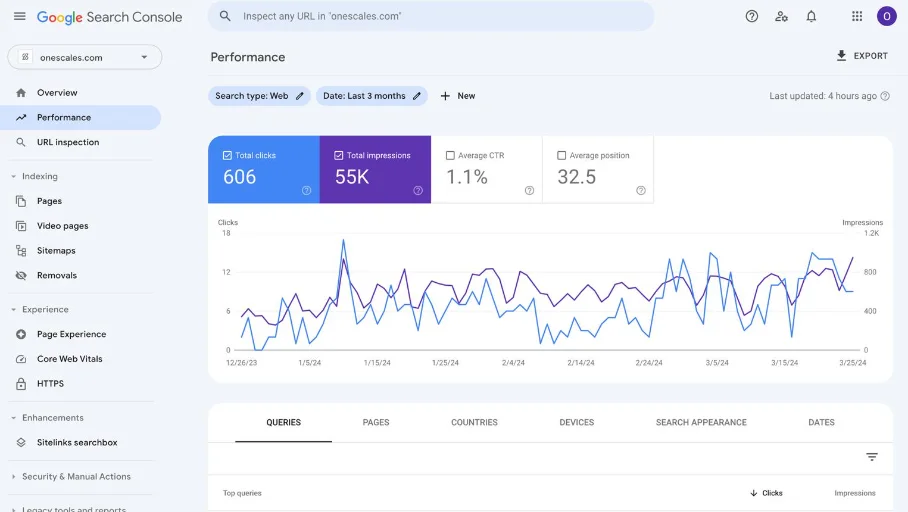
Use Google Search Console to monitor:
- Impressions.
- Clicks.
- Average search position.
- Click-through rate.
- Search queries.
- Page indexing status.
Google Analytics can help you understand visitor behavior and traffic sources.
If an article receives impressions for relevant searches, examine whether it answers those questions effectively. Improve outdated information and add useful sections when needed.
Do not make unnecessary changes simply because rankings fluctuate for a short period.
Common SEO Writing Mistakes to Avoid
- Writing only to satisfy keyword density recommendations.
- Copying competitor content.
- Publishing articles without understanding search intent.
- Using duplicate titles across multiple pages.
- Writing unnecessarily long introductions.
- Adding irrelevant images.
- Ignoring internal links.
- Publishing inaccurate information.
- Creating multiple articles that target the same intent.
- Forgetting to review content after publication.
Conclusion
Writing SEO-friendly blog posts requires more than adding keywords to an article. You need to understand your audience, choose relevant topics, match search intent, organize information, and provide genuinely useful answers.
Follow a consistent writing and optimization process for every article. Monitor performance after publishing and improve your content when new opportunities appear.
A website built around accurate, helpful, and well-organized articles has a stronger foundation for sustainable organic search growth.
Next Article – Article 23: How to Optimize SEO Titles and Meta Descriptions for Better Click-Through Rates
Frequently Asked Questions
A useful topic, clear title, organized headings, relevant keywords, helpful content, optimized images, and appropriate internal links all contribute to SEO-friendly content.
There is no universal ideal word count. Write enough to satisfy the topic and answer the reader’s questions without adding unnecessary information.
Relevant, well-optimized images can improve understanding and accessibility and may help images appear in image search. They do not guarantee higher web rankings.
Time needed: 5 minutes
Learn how to write SEO-friendly blog posts with keyword research, helpful content, optimized headings, images, and practical SEO tips.
- How long does it take for a blog post to rank?
There is no fixed timeline. Results depend on competition, website history, content quality, indexing, and other factors.

시즌별 에어드롭이나 수수료 할인 프로모션을 모아둔 코인거래소이벤트 정보를 활용하면 초기 거래 비용을 아낄 수 있습니다.
전문 교육을 수료한 베테랑 오피스타의 손길로 뭉친 혈자리를 시원하게 풀어보시기 바랍니다.