Introduction
Finding the right keywords is one of the most important steps in an effective SEO strategy. However, choosing keywords without researching their search demand, relevance, and competition can lead to content that attracts very few visitors.
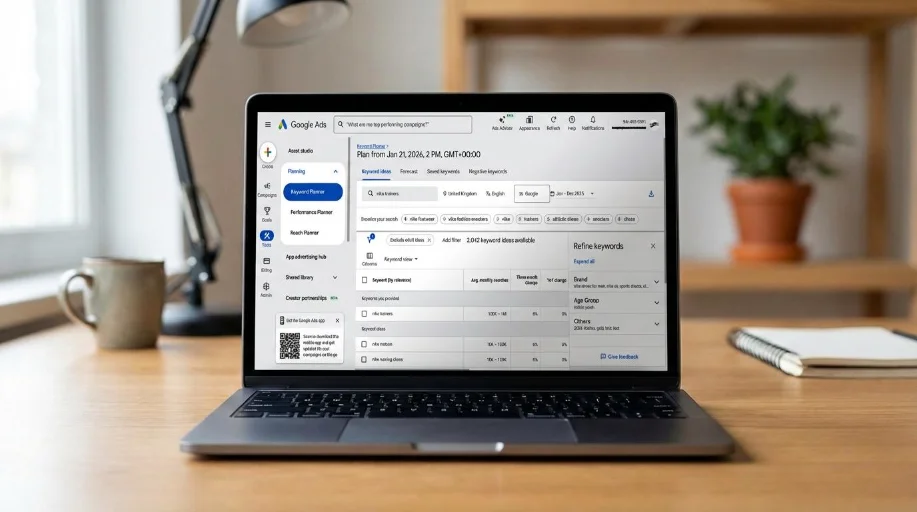
One useful research tool is Google Keyword Planner. It helps users discover keyword ideas, review estimated search activity, and explore advertising competition.
Although the tool was primarily designed for Google Ads advertisers, website owners and bloggers can also use its keyword suggestions to plan content and discover potential SEO topics.
In this guide, you will learn how to access Google Keyword Planner, find keyword ideas, understand its metrics, and use the information to improve your website’s keyword strategy.
What Is Google Keyword Planner?
Google Keyword Planner is a free keyword research tool provided through Google Ads.
It helps advertisers research search terms before creating advertising campaigns.
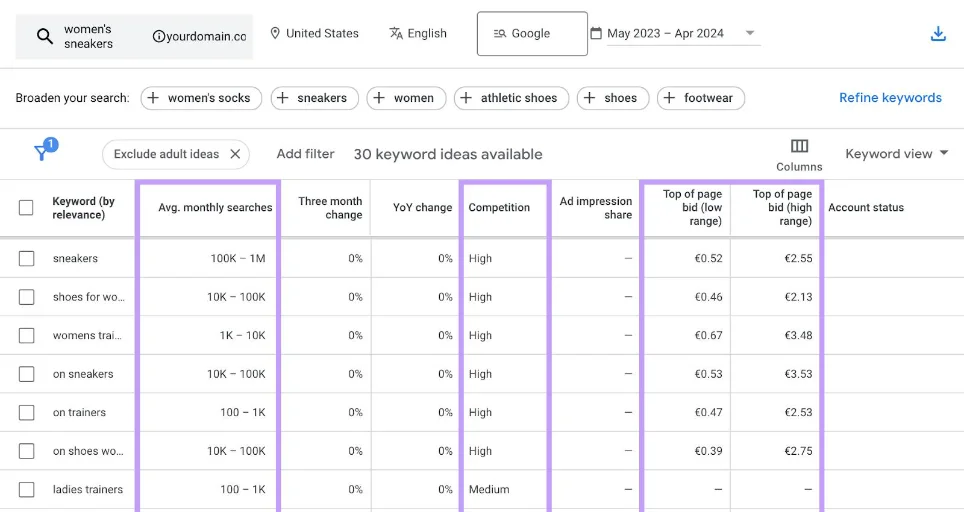
The tool provides information such as:
- Keyword suggestions
- Average monthly search estimates
- Advertising competition
- Top-of-page bid estimates
- Search trends and keyword forecasts
For SEO beginners, these features can help identify topics worth investigating.
Important: Google Keyword Planner’s competition metric refers to advertising competition, not organic SEO ranking difficulty. A keyword with low advertising competition is not automatically easy to rank for in Google organic results.
Why Use Google Keyword Planner for SEO?
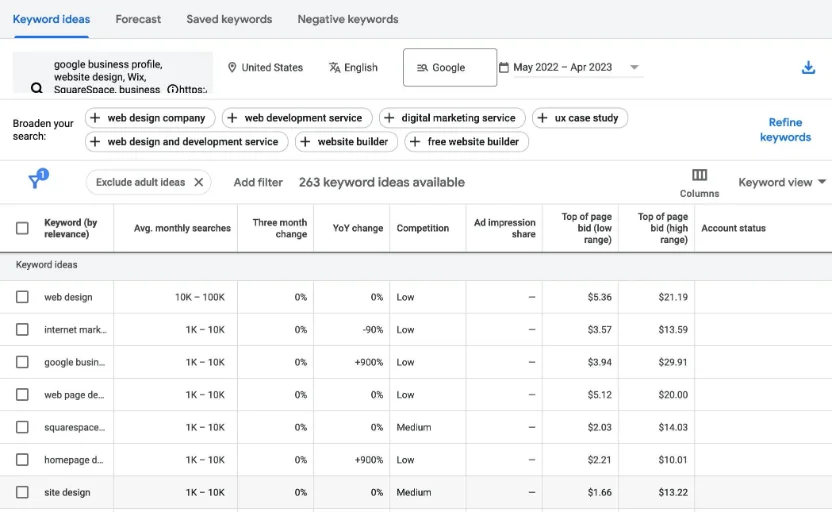
Here are some reasons website owners use this tool.
1. Discover New Keyword Ideas
Enter a topic, product, or website address to discover related search phrases.
2. Understand Search Demand
Review estimated average monthly searches to understand the potential interest in a keyword.
3. Find Related Search Terms
Discover variations that may inspire new blog articles, tutorials, and landing pages.
4. Research Different Locations
You can adjust location and language settings to investigate search demand in specific markets.
5. Plan Content Topics
Keyword suggestions can help you organize articles around related subjects and user needs.
How to Access Google Keyword Planner
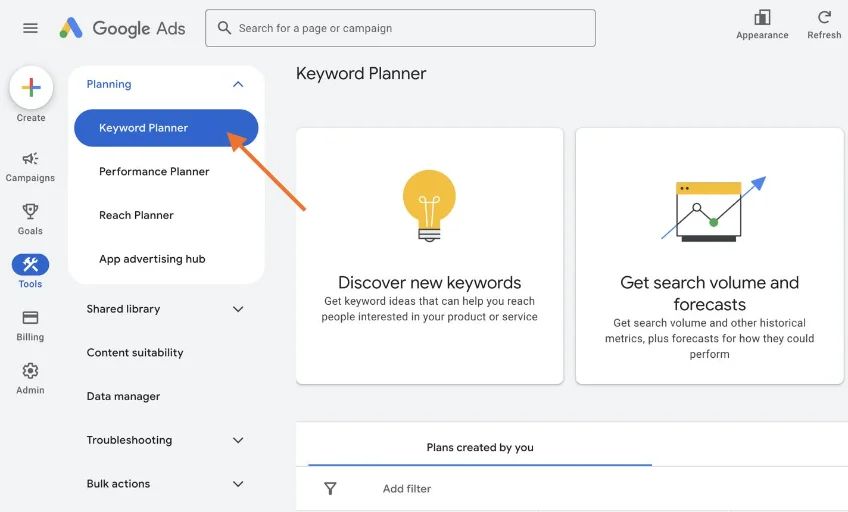
Follow these steps to access the tool.
Step 1: Open Google Ads
Visit the official website:
Sign in using your Google account.
Step 2: Set Up Your Account
If you are new to Google Ads, follow the account setup instructions.
The available setup process may vary depending on your account and region. You may encounter options to create an advertising campaign.
Review the available account setup choices carefully. You do not need to launch a paid campaign simply to begin researching keywords, but access requirements and available features can vary.
Step 3: Find Keyword Planner
Once inside Google Ads:
- Open the tools or planning menu.
- Find Keyword Planner.
- Open the keyword research section.
- Choose the option that matches your research goal.
The interface may change over time, so menu labels can differ slightly.
How to Find New Keywords Using Google Keyword Planner
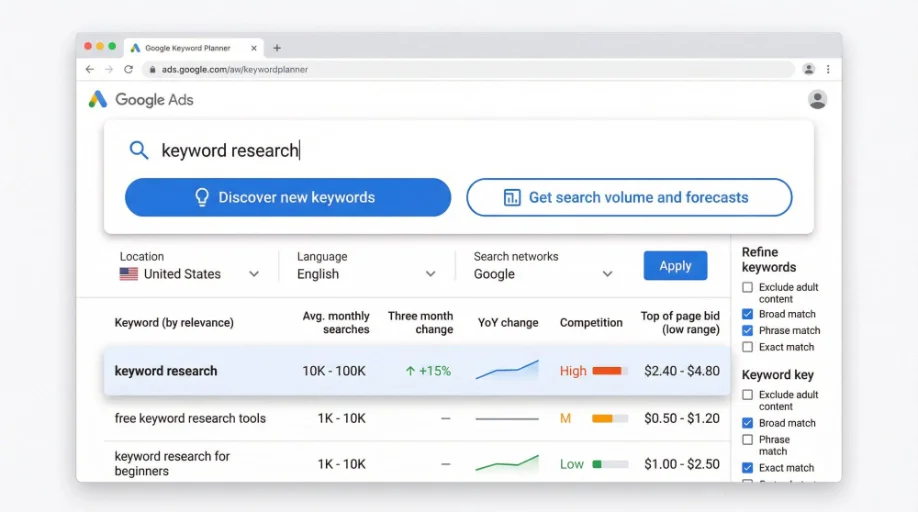
Google Keyword Planner provides two main research options.
Method 1: Discover New Keywords
This option helps you generate keyword ideas from seed phrases or website content.
For example, if you operate an online tools website, enter:
- Image compressor
- PDF converter
- Online calculator
- Word counter
- SEO checker
You can also enter a relevant website URL to explore keyword ideas associated with its content.
After entering your topics:
- Select your target location.
- Choose the appropriate language.
- Review the keyword suggestions.
- Examine the available search estimates.
- Save relevant ideas for further research.
Method 2: Get Search Volume and Forecasts
This option is useful when you already have a keyword list.
For example:
- Free image compressor
- Compress JPG online
- PDF to Word converter
- Online word counter
- Website SEO checker
Enter your list to review available search estimates and advertising forecasts.
These estimates are useful for planning, but they are not guaranteed future traffic predictions.
Understanding Google Keyword Planner Metrics
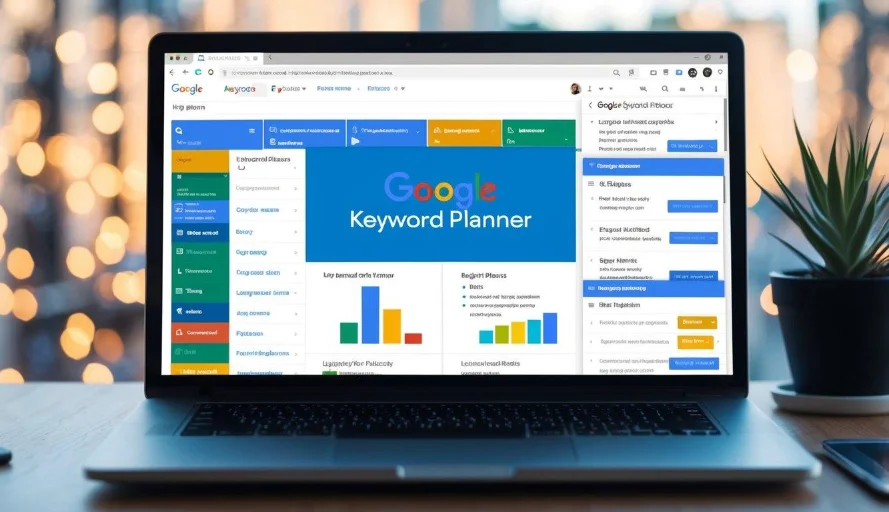
Understanding the available metrics helps you interpret keyword research correctly.
| Metric | Meaning | SEO usefulness |
|---|---|---|
| Average monthly searches | Estimated average monthly search activity | Helps estimate topic demand |
| Competition | Advertiser competition for a keyword | Useful for advertising research |
| Top of page bid low range | Lower estimated advertising bid range | Indicates potential advertiser bidding levels |
| Top of page bid high range | Higher estimated advertising bid range | Helps understand paid search costs |
| Keyword suggestions | Related search phrases | Helps discover content ideas |
Search estimates may be displayed in ranges, rounded values, or grouped figures depending on the account and settings.
Do not treat these numbers as exact organic search traffic forecasts.
How to Choose the Best Keywords from the Results
Finding hundreds of keyword suggestions does not mean you should target all of them.
Use the following process to create a focused list.
1. Check Keyword Relevance
Choose phrases that closely match your website’s subject.
For example, an image tools website should prioritize image editing and optimization topics rather than unrelated entertainment searches.
2. Review Search Demand
Look for keywords with enough audience interest to justify creating useful content.
However, do not reject a specific keyword simply because its search estimate is small. Some highly relevant searches can have meaningful business value.
3. Analyze Organic Competition Separately
Remember that Google Keyword Planner’s competition column measures advertising competition.
To evaluate organic SEO competition, search the keyword in Google and inspect:
- The relevance of ranking pages
- Their content quality
- Their page formats
- Their topical coverage
- The strength and reputation of competing websites
- Whether your website can provide a better answer
4. Understand Search Intent
Determine whether people want information, a comparison, a product, or a working tool.
For example:
| Keyword | Search intent | Recommended page |
|---|---|---|
| What is an image compressor? | Informational | Blog article |
| Compress image online | Tool-oriented | Image compression tool |
| Best image compressor | Commercial | Comparison article |
| How to reduce JPG size | Informational | Tutorial |
5. Group Related Keywords
Organize related phrases into content groups.
Example:
Main topic: PDF conversion
- Convert PDF to Word
- PDF to JPG converter
- Convert JPG to PDF
- Free PDF converter online
- How to convert PDF files
Create pages based on genuinely different user needs instead of publishing duplicate pages for every keyword variation.
Practical Keyword Research Example for a Website
Suppose you want to publish a new page for an online PDF converter.
You enter “PDF converter” into Keyword Planner and discover related phrases.
Your research spreadsheet might look like this:
| Keyword | Intent | Proposed content |
|---|---|---|
| PDF converter online | Tool-oriented | Main converter page |
| PDF to Word converter | Tool-oriented | PDF-to-Word feature |
| Convert PDF to JPG | Tool-oriented | PDF-to-image feature |
| How to convert PDF to Word | Informational | Tutorial |
| Best free PDF converter | Commercial | Comparison article |
Before publishing, check whether the suggested phrases have sufficiently different search intent and whether your website can provide a useful solution.
Tips for Better Keyword Research
- Start with five to ten relevant seed keywords.
- Research your main target country and language.
- Explore different keyword variations.
- Compare search demand over time where data is available.
- Check organic search results independently.
- Focus on user intent rather than search volume alone.
- Group similar keywords into topic clusters.
- Keep a spreadsheet of selected keywords.
- Review your existing pages before creating new ones.
- Revisit your keyword strategy as your website grows.
Common Google Keyword Planner Mistakes
Avoid these mistakes when using the tool:
- Treating advertising competition as organic keyword difficulty.
- Assuming estimated search volume equals website visitors.
- Selecting keywords only because they have high search volume.
- Ignoring the selected country and language.
- Targeting unrelated search terms.
- Creating multiple pages for nearly identical searches.
- Ignoring search intent.
- Assuming bid estimates represent guaranteed advertising costs.
- Building content around keywords without checking Google results.
- Expecting keyword research alone to produce rankings.
Conclusion
Google Keyword Planner is a useful starting point for discovering keyword ideas and understanding estimated search demand. Although it was designed primarily for advertising research, website owners can use its suggestions to plan articles, tutorials, and landing pages.
For the best results, combine its data with Google Search Console, Google Trends, and manual analysis of organic search results.
Remember that keyword research is only the beginning. Your website still needs helpful content, relevant pages, good technical performance, and a positive user experience to build sustainable organic visibility.
Next article – Article 15: How to Find Keywords Using Google Search Suggestions and Related Searches
Frequently Asked Questions (FAQs)
Google Keyword Planner is available through Google Ads without a separate subscription fee. However, access to some data and features may depend on account setup and advertising activity
You can use Keyword Planner for research without necessarily launching an advertising campaign. However, some accounts may receive limited or ranged search-volume information.
Yes. It can provide keyword ideas and estimated search demand. However, you should combine it with organic search result analysis and other SEO research tools.
Time needed: 5 minutes
Learn how to use Google Keyword Planner to find keyword ideas, understand search estimates, and plan your SEO content strategy.
- How often should I research keywords?
Research keywords when planning new content and review your existing keyword strategy periodically. Search behavior and competition can change over time.