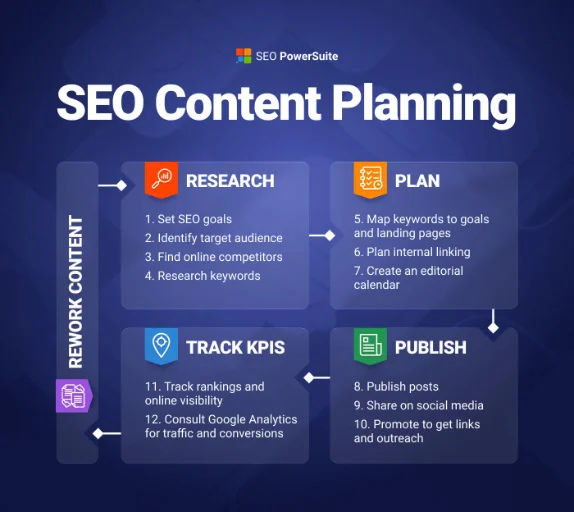
How to Create a Keyword Research Strategy for Your Website: Complete SEO Guide
A successful SEO campaign starts with a clear keyword research strategy. Publishing articles without understanding what people search for can waste time and make it difficult to attract the right visitors.
Keyword research helps you discover the topics your audience cares about, understand their search intent, and organize your website content around relevant search terms.
Whether you run a personal blog, business website, WordPress site, or online tools platform, a structured keyword strategy can help you make better content decisions.
In this guide, you’ll learn how to create a complete keyword research strategy, select the right keywords, organize topics, and measure your SEO progress.
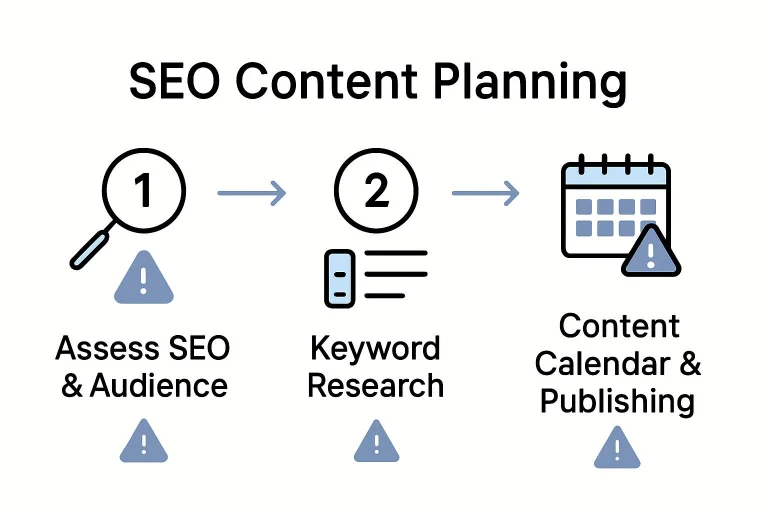
What Is a Keyword Research Strategy?
A keyword research strategy is a planned process for finding, evaluating, selecting, and organizing search terms that match your website’s goals.
Instead of randomly choosing keywords, you identify:
- What your audience searches for.
- Which topics are relevant to your website.
- What search intent each keyword represents.
- How competitive the search results are.
- Which pages should target specific keywords.
- How related articles should connect.
For example, an online tools website might organize its keyword strategy around image tools, PDF tools, calculators, and SEO tools.
Each category can contain dedicated landing pages and supporting tutorials.
Why Does Your Website Need a Keyword Strategy?

A keyword strategy provides direction for your content creation and optimization efforts.
Its benefits include:
- Better content planning: Discover topics before writing articles.
- Relevant website visitors: Target searches related to your services.
- Reduced keyword overlap: Avoid creating unnecessary duplicate pages.
- Improved internal linking: Connect related pages logically.
- Content gap discovery: Find subjects your competitors cover but your website does not.
- Clear SEO priorities: Focus on valuable opportunities instead of random keywords.
- Performance measurement: Track how your target topics perform over time.
Step 1: Define Your Website’s Main Topics

Start by identifying the main subjects your website covers.
These are sometimes called content pillars or topic categories.
For example:
| Website type | Main topics |
|---|---|
| Technology blog | Apps, software, gadgets, tutorials |
| Food website | Breakfast, lunch, dinner, desserts |
| Travel website | Destinations, travel tips, hotels |
| Online tools website | Image tools, PDF tools, calculators |
| SEO website | Keyword research, technical SEO, content SEO |
Choose topics that match your website’s purpose and the needs of your intended audience.
Avoid targeting unrelated keywords simply because they appear popular.
Step 2: Understand Your Target Audience
Before collecting keywords, think about the people who may visit your website.
Ask yourself:
- What problems do they want to solve?
- What information are they searching for?
- Are they beginners or experienced users?
- Are they looking for instructions, comparisons, or online tools?
- Which devices or platforms do they use?
For example, visitors searching for “how to convert PDF to Word on Android” probably need a mobile-friendly solution or a clear tutorial.
Understanding your audience makes it easier to select useful keywords.
Step 3: Find Keyword Ideas Using Free and Paid Tools

Use several sources to build a keyword list.
Useful keyword research tools:
- Google Keyword Planner – Discover keyword ideas and search estimates.
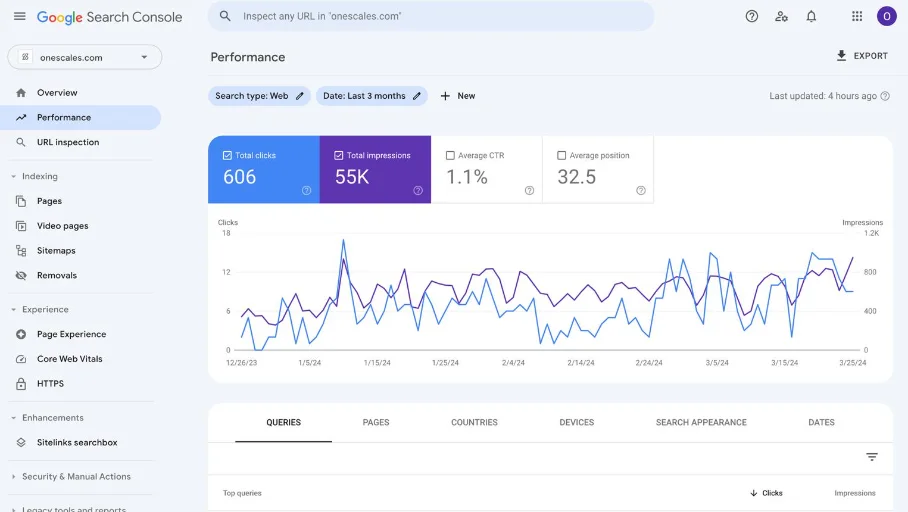
- Google Search Console – Review queries that already generate impressions.
- Google Trends – Compare search interest over time.
- Ahrefs – Explore keyword opportunities and competitors.
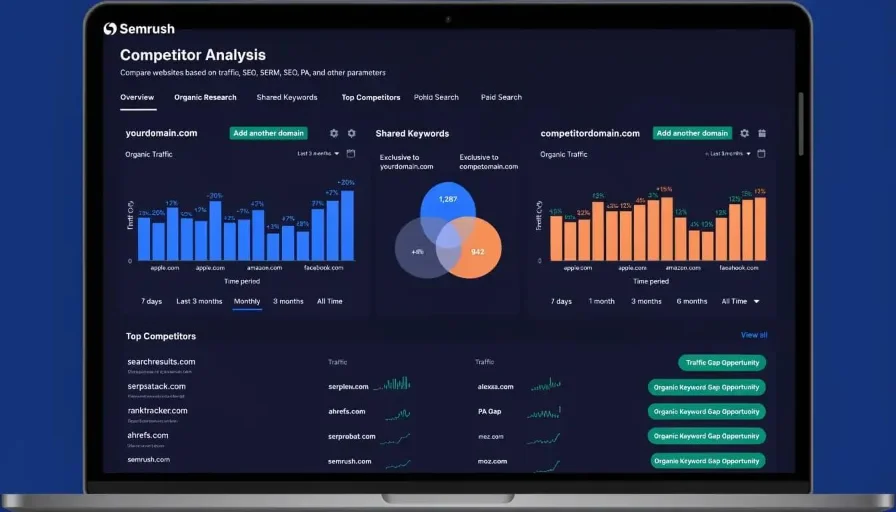
- Semrush – Research keywords and content gaps.
- Ubersuggest – Discover related keywords.
- AnswerThePublic – Explore question-based search ideas.
You can also use Google Autocomplete, People Also Ask, and Related Searches without purchasing an SEO subscription.
Collect keyword ideas from multiple sources instead of relying on a single tool.
Step 4: Understand Search Intent
Search intent explains what a person wants to accomplish when entering a search query.
There are four common types:
| Search intent | Purpose | Example |
|---|---|---|
| Informational | Learn something | What is keyword research? |
| Navigational | Find a specific website | Google Search Console login |
| Commercial | Compare options | Best free SEO tools |
| Transactional | Take an action | Compress PDF online |
Your content format should match the searcher’s expectations.
For example, someone searching “compress PDF online” may expect a working tool rather than a lengthy article explaining the history of PDF files.
Step 5: Evaluate Search Volume and Keyword Difficulty
Once you have keyword ideas, evaluate their potential.
Consider:
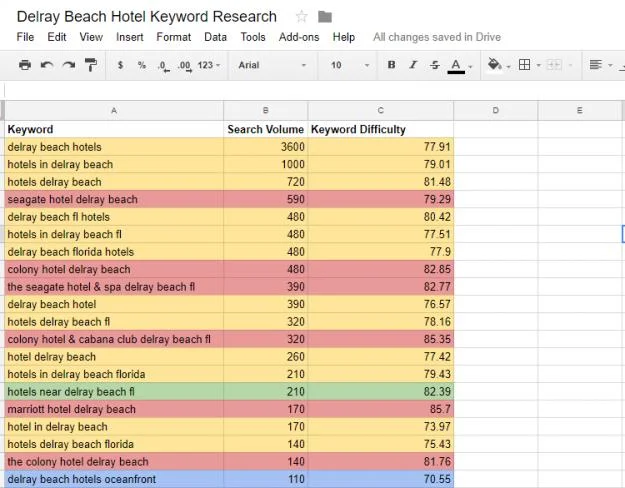
- Search volume.
- Keyword difficulty estimates.
- Competition in Google results.
- Search intent.
- Website relevance.
- Business or content value.
Remember that search volume estimates are not exact traffic predictions. Keyword difficulty scores are third-party estimates, not official Google metrics.
A keyword with moderate search demand and a strong connection to your website may be more valuable than a popular but unrelated phrase.
Step 6: Group Keywords Into Topic Clusters
Keyword clustering means organizing related search terms into groups based on their subject and search intent.
For example:
Main topic: Image Compression
Primary landing page
Compress Images Online
Related supporting topics
- How to compress JPG images.
- How to reduce PNG file size.
- How to compress images without losing quality.
- Best image compression settings for websites.
- Why image compression improves page performance.
A well-organized topic cluster helps you cover a subject more completely.
However, do not create separate pages for every variation. Combine keywords when their search intent is essentially the same.
Step 7: Create a Keyword Mapping Spreadsheet
A keyword map connects target keywords to specific website pages.
You can organize your research using a spreadsheet.
| Page topic | Primary keyword | Supporting keywords | Page type |
|---|---|---|---|
| Image compressor | Compress images online | Free image compressor | Tool page |
| PDF converter | Convert PDF to Word | Online PDF converter | Tool page |
| SEO basics | What is SEO? | SEO for beginners | Article |
| Website speed | How to improve website speed | Website performance | Article |
| Salary calculator | Monthly salary calculator | Calculate monthly salary | Tool page |
This helps prevent multiple pages from unnecessarily targeting the same keyword.
It also makes your content plan easier to manage.
Step 8: Analyze Competitor Keyword Strategies
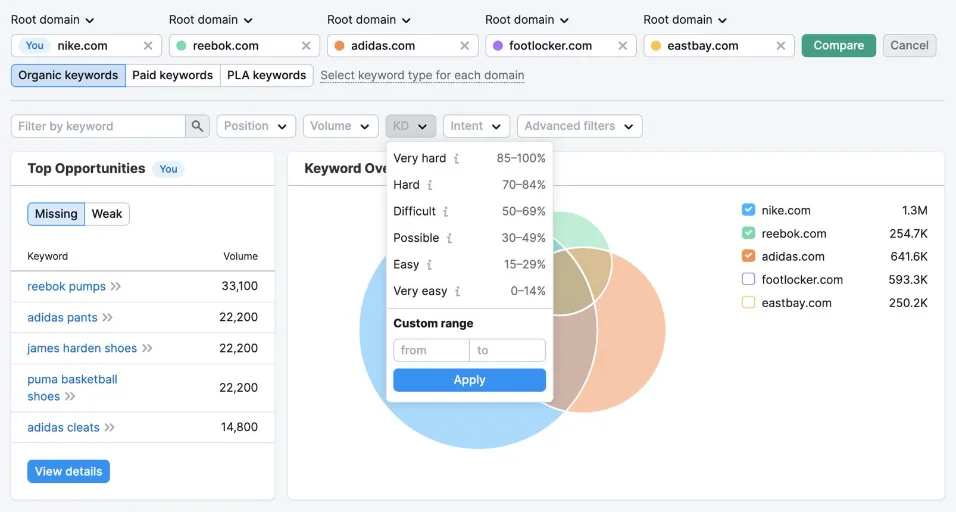
Competitor analysis can help you discover opportunities that your website may be missing.
Follow these steps:
- Search your main keywords in Google.
- Identify websites consistently appearing in relevant results.
- Examine their important pages.
- Review their article topics and landing pages.
- Identify useful questions they answer.
- Compare their coverage with your own content.
- Select relevant gaps you can address more effectively.
Tools such as Ahrefs and Semrush offer competitor keyword and content gap features.
Do not copy competitor articles. Use the research to understand what users need and develop your own useful content.
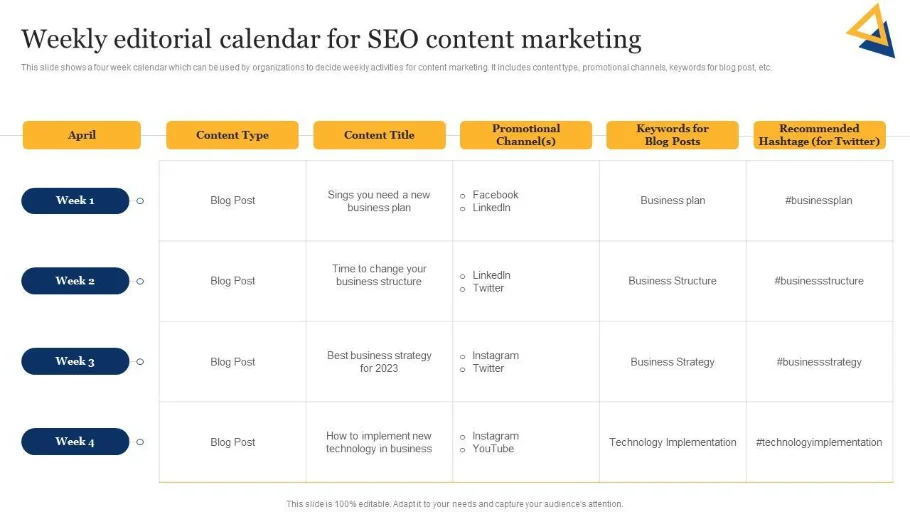
Step 9: Build a Practical Content Calendar
After organizing your keywords, turn them into a publishing schedule.
Here is an example monthly plan:
| Week | Content activity |
|---|---|
| Week 1 | Publish two keyword-focused articles |
| Week 2 | Create one useful tool landing page |
| Week 3 | Update two existing articles |
| Week 4 | Review Search Console performance and internal links |
Choose a publishing schedule that you can maintain consistently.
Quality, accuracy, and usefulness matter more than publishing a large number of weak articles.
Step 10: Track and Improve Keyword Performance
Keyword research does not end when an article is published.
Monitor your results using:
- Google Search Console for impressions, clicks, CTR, and average position.
- Google Analytics for visitor behavior and traffic sources.
- SEO platforms for additional keyword tracking and competitor insights.
Review your content regularly.
If a page receives impressions but few clicks, examine its title and meta description. If it receives traffic for related queries, consider improving its content to answer those needs more clearly.
Avoid changing pages repeatedly based on small fluctuations. Look for meaningful trends before making major updates.
Common Keyword Research Strategy Mistakes
- Targeting keywords without understanding search intent.
- Choosing search volume over relevance.
- Ignoring long-tail keyword opportunities.
- Creating multiple pages for nearly identical topics.
- Copying competitor keyword lists without evaluating them.
- Ignoring internal linking.
- Publishing content that does not satisfy user needs.
- Never reviewing keyword performance after publication.
- Relying entirely on third-party SEO scores.
- Expecting immediate ranking results.
Conclusion
A successful keyword research strategy requires more than collecting search phrases. You need to understand your audience, identify search intent, evaluate competition, organize related topics, and assign keywords to appropriate pages.
Start with your website’s main subjects, use reliable research sources, and build a practical content calendar. Then monitor your performance and improve existing pages based on real search data.
With consistent research and helpful content, your website can build stronger topical coverage and create more opportunities for organic search visibility.
Next Article – Article 21: What Is On-Page SEO? Complete Guide to Optimizing Website Content
Frequently Asked Questions
Start by understanding your website’s purpose, main topics, and target audience. This gives you a relevant foundation for finding keywords.
Choose one primary keyword and several closely related supporting terms. The content should answer the topic naturally rather than follow a fixed keyword count.
Google Keyword Planner, Google Search Console, Autocomplete, and Google Trends are useful starting points. Paid platforms provide additional research features.
Time needed: 5 minutes
Learn how to create a keyword research strategy, find relevant keywords, analyze competition, and plan SEO content for your website.
- Can keyword research improve organic traffic?
Good keyword research can help you create more relevant content and identify search opportunities. Actual traffic growth depends on content quality, competition, technical health, and other factors.