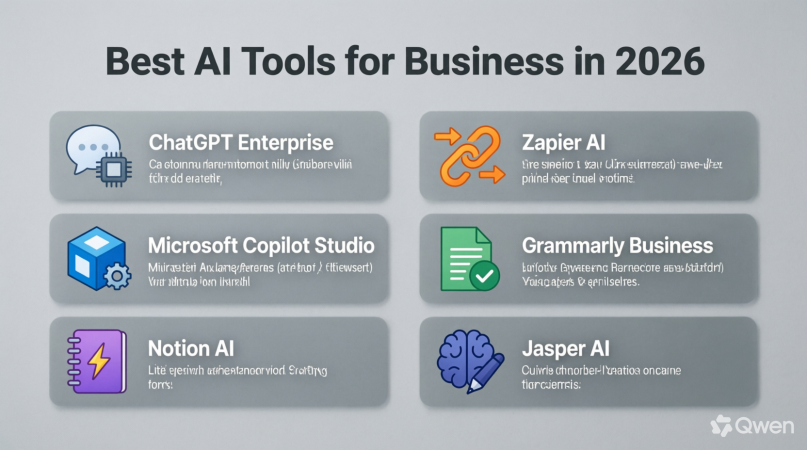
AI Tools for Small Businesses: Top 10 Tools & How to Choose
Why AI Tools Are Essential for Small Businesses
Running a small business often means doing many jobs at once. One day you may be writing social media posts, while the next day you are answering customer questions, preparing invoices, analyzing sales, or creating marketing campaigns. With limited staff and budgets, completing everything manually can become difficult.
This is where AI tools for small businesses can make a real difference. Artificial intelligence can help entrepreneurs automate repetitive work, create content, organize information, analyze data, and communicate with customers more efficiently.
The goal is not to replace people. Instead, AI can handle routine tasks so business owners and employees have more time for creative thinking, customer relationships, and important decisions.
Whether you run an online store, marketing agency, local service, blog, consultancy, or startup, there are AI solutions that can fit your workflow.
How AI Can Help a Small Business
AI can support almost every area of modern business. For example, an AI writing assistant can help create product descriptions, emails, advertisements, and blog ideas. An AI design platform can produce social media graphics, presentations, and marketing materials.
Customer-service AI can answer common questions, while analytics tools can help businesses understand their customers and identify trends.
The biggest advantage is efficiency. A task that previously required an hour of manual work may sometimes be completed much faster with the right AI-assisted workflow.
However, AI should not be treated as a magic solution. Human review remains important, particularly when dealing with customer information, financial decisions, legal documents, or important business communications.
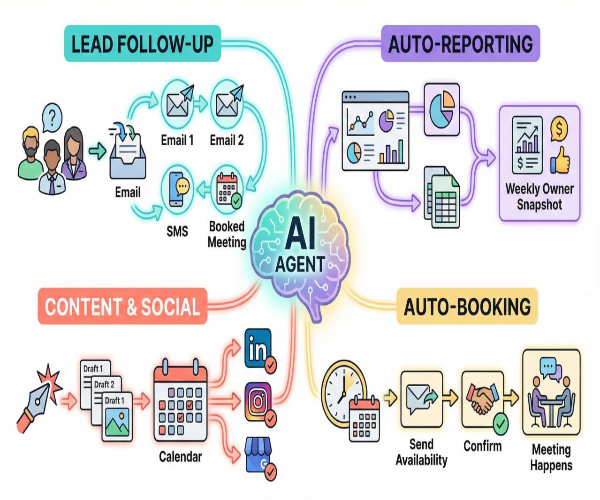
Top 10 AI Tools for Small Business Operations
There are thousands of AI products available today. Instead of trying everything, small businesses should concentrate on tools that solve genuine problems.
Here are ten useful categories and examples to consider.
1. ChatGPT for Business Ideas, Writing and Research
OpenAI’s ChatGPT can help small-business owners with brainstorming, drafting, summarizing, research assistance, customer-service responses, marketing ideas, and many other everyday tasks.
For example, a business owner could use it to create:
- Blog outlines
- Product descriptions
- Email drafts
- Social media ideas
- Frequently asked questions
- Business plans
- Customer-response templates
- Marketing concepts
- Meeting summaries
The important point is to provide clear instructions and review the output before publishing it.
2. Canva for AI-Assisted Design
Visual content is essential for online businesses. However, not every small business can afford a professional designer for every social media post or promotional campaign.
Canva provides design tools that can help users create presentations, social posts, advertisements, posters, documents, and other visual materials.
Its AI-assisted features can make it easier to generate or modify creative content.
For a small business, this can be particularly useful when creating consistent marketing materials without starting every design from scratch.
3. Grammarly for Business Communication
Clear communication matters when dealing with customers, suppliers, employees, and business partners.
Grammarly provides AI-powered writing assistance that can help improve grammar, spelling, clarity, tone, and overall communication.
Small businesses can use writing assistance when preparing:
- Customer emails
- Website content
- Business proposals
- Marketing messages
- Internal documents
- Social media captions
Better writing can make a business appear more professional and trustworthy.

4. Notion for Organization and Knowledge Management
Small businesses often have information scattered across documents, emails, spreadsheets, and messaging applications.
Notion combines notes, documents, databases, project management, and knowledge management in one workspace.
Its AI features can help users summarize information, organize content, brainstorm ideas, and work with business documentation.
For teams, having important information in one organized location can reduce unnecessary searching and improve collaboration.
5. HubSpot for Marketing and Customer Management
Customer relationships are central to business growth. HubSpot offers CRM, marketing, sales, customer-service, and automation capabilities.
AI features can help businesses with content creation, customer insights, marketing workflows, and other activities.
A small business can benefit from using a centralized system instead of keeping customer information in disconnected spreadsheets.
6. Zapier for Workflow Automation
Many business tasks follow predictable patterns.
For example:
New customer submits a form → information goes into a spreadsheet → team receives an email → customer receives confirmation.
Automation platforms such as Zapier can connect different applications and automate workflows.
This can reduce repetitive administrative work and help prevent simple human errors.
For a small business, automation is especially useful when the same process happens dozens or hundreds of times each month.
7. QuickBooks for Accounting Assistance
Managing finances is one of the most important responsibilities for a business.
Intuit QuickBooks provides accounting and financial-management software for businesses.
Depending on the plan and region, businesses can use features for invoicing, expenses, reporting, bookkeeping, and financial organization.
AI-assisted financial workflows can reduce administrative effort, but businesses should still maintain appropriate accounting controls and consult qualified professionals when necessary.
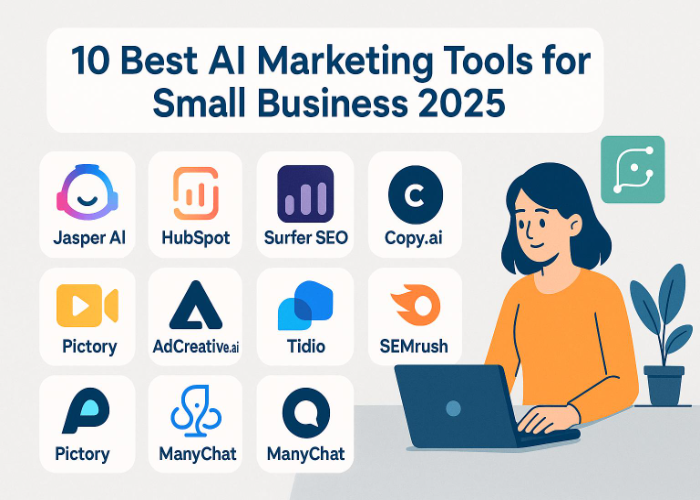
8. Mailchimp for Email Marketing
Email marketing remains useful for maintaining relationships with existing customers and reaching potential buyers.
Mailchimp provides email marketing and customer-engagement tools, including AI-assisted capabilities.
Small businesses can use such platforms to create campaigns, organize audiences, test messaging, and automate certain communications.
Instead of manually sending the same email to every customer, automation can deliver relevant messages based on customer actions or predefined schedules.
9. Otter.ai for Meetings and Transcription
Meetings can contain valuable information, but remembering every detail is difficult.
Otter.ai offers AI-powered transcription and meeting-related tools.
These solutions can help turn conversations into searchable text and summaries.
For small teams, that can make it easier to remember decisions, identify action items, and share important information with people who could not attend a meeting.
10. Adobe Firefly for Creative Content
Businesses increasingly need images and other creative assets for websites, advertisements, presentations, and social media.
Adobe’s Firefly provides generative AI capabilities for creative work.
It can be useful for businesses that need to experiment with visual concepts or produce marketing assets more efficiently.
However, businesses should always understand the applicable licensing and usage terms before using generated content commercially.

How to Choose the Right AI Tool for Your Business
Choosing an AI tool should not begin with the question, “Which AI tool is the most popular?”
Instead, ask:
“What problem do I need to solve?”
A tool that is perfect for an online retailer may be unnecessary for a local accounting firm. Similarly, an agency may need advanced collaboration features that a solo entrepreneur does not require.
Here are the most important factors to consider.
1. Identify Your Biggest Problem
Start by making a list of repetitive or time-consuming tasks.
For example:
- Writing content
- Answering customer questions
- Creating graphics
- Managing leads
- Scheduling meetings
- Preparing reports
- Processing invoices
- Organizing documents
- Managing social media
Choose the task that consumes the most time or creates the biggest bottleneck.
2. Compare Pricing
Small businesses need to pay close attention to costs.
Some AI tools have free plans, while others charge monthly or annual subscriptions. A seemingly inexpensive subscription can become expensive when several employees need separate accounts.
Calculate the expected monthly cost and compare it with the amount of time or money the tool could save.
Do not pay for advanced features that your business will rarely use.
3. Check Ease of Use
A powerful AI tool is not useful if employees cannot understand it.
Before purchasing, test the interface whenever a free trial is available. Ask yourself:
- Is it easy to learn?
- Can employees use it without technical training?
- Does it integrate with existing software?
- Is documentation available?
- Does the company provide support?
Simple tools often deliver better results than complicated platforms that nobody uses consistently.
4. Consider Integrations
Your AI tool should ideally work with the applications your business already uses.
For example, an automation platform becomes much more useful when it connects your website, email platform, CRM, spreadsheet, and other services.
Integrations can prevent employees from repeatedly copying information between different systems.
5. Think About Data Privacy
Data privacy should be a major consideration before putting business information into any AI system.
Avoid uploading confidential customer records, passwords, financial information, private contracts, or sensitive business data unless you understand how the platform handles that information and your organization has approved its use.
Check the provider’s privacy policies, security controls, data-retention practices, and available business settings.
6. Check Output Quality
AI-generated content can contain mistakes.
Before adopting a tool, test it with real-world examples. Check whether the results are accurate, useful, and consistent.
For important business decisions, AI should support human judgment rather than replace it.
7. Measure Your Results
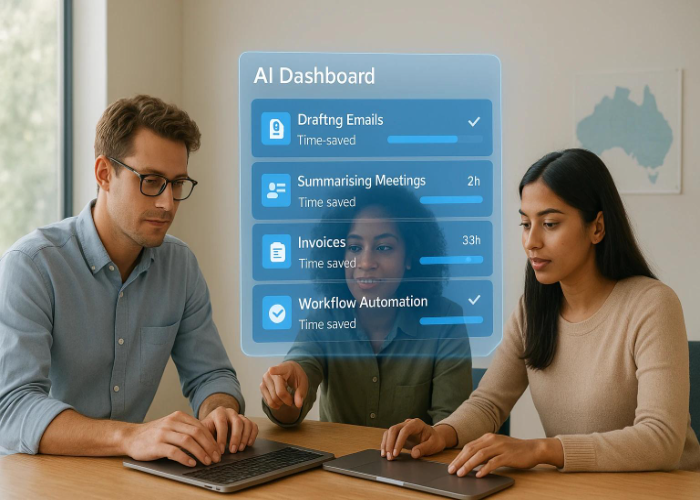
After implementing an AI tool, measure its actual impact.
For example:
Before AI: Customer emails require 15 hours per week.
After AI: Drafting and organizing responses requires 7 hours.
That means the workflow potentially saves around eight hours each week.
Similar measurements can be made for content creation, customer support, administration, and other activities.
AI Should Support People, Not Replace Them
One common misconception is that adopting AI means eliminating human involvement.
In reality, successful small businesses can use AI as an assistant.
AI can generate a first draft, but a person can improve it.
AI can summarize a meeting, but an employee can confirm the decisions.
AI can analyze information, but management can make the final business decision.
This human-plus-AI approach can provide a better balance between efficiency and quality.
Common Mistakes Small Businesses Should Avoid
AI adoption can fail when businesses focus on technology rather than actual needs.
One mistake is buying too many tools at once. A company may subscribe to ten different platforms but use only two regularly.
Another mistake is publishing AI-generated content without reviewing it. Errors, outdated information, unnatural writing, or incorrect claims can damage customer trust.
Businesses should also avoid assuming that every AI feature provides immediate financial benefits. The best approach is to start small, test the workflow, measure the results, and expand gradually.
Final Thoughts
AI tools for small businesses can improve productivity, reduce repetitive work, support marketing, organize information, and help teams work more efficiently. From writing and design to customer management, accounting, automation, and meetings, there are now AI-powered solutions for many everyday business activities.
However, the best AI tool is not necessarily the most expensive or popular option. The right choice depends on your business goals, budget, workflow, team size, technical requirements, and data needs.
Start with one genuine business problem. Find an AI solution that addresses it, test the results, and measure the improvement. If it saves time or improves quality, you can gradually introduce additional tools.
The future of small-business productivity is unlikely to be about using AI everywhere. Instead, it will be about using the right AI in the right places while keeping people in control of important decisions.
Frequently Asked Questions
AI tools can automate repetitive tasks, support content creation, improve customer communication, organize information, and help small teams save valuable time.
There is no single best tool for every business. The right option depends on your specific needs, such as writing, marketing, accounting, customer support, design, or workflow automation.
Yes. Many modern AI tools are designed for non-technical users. However, employees should still receive basic training so they understand how to use AI effectively and safely.
Time needed: 7 minutes
- Can AI reduce small-business costs?
AI can potentially reduce costs by automating repetitive tasks and improving employee productivity. The actual savings depend on the workflow, tool pricing, and how effectively the business implements it.