What Is On-Page SEO? Complete Guide to Optimizing Website Content
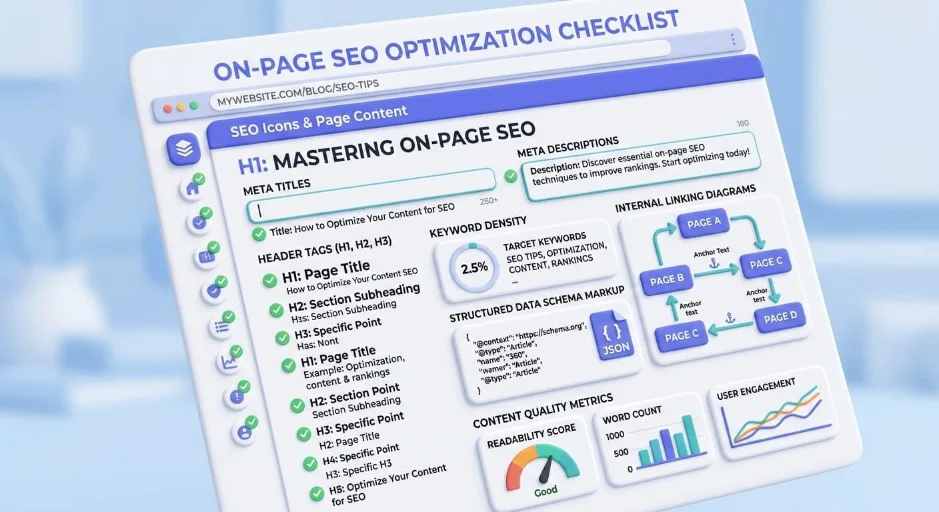
Creating useful website content is important, but publishing an article does not automatically make it search-engine friendly. You also need to organize your pages, use relevant keywords, write descriptive titles, optimize images, and make your content easy to understand.
This process is called on-page SEO.
On-page SEO helps search engines understand what your pages are about while making it easier for visitors to find the information they need.
Whether you manage a WordPress blog, business website, or online tools platform, learning on-page SEO can help you improve your content and build a stronger website.
What Is On-Page SEO?
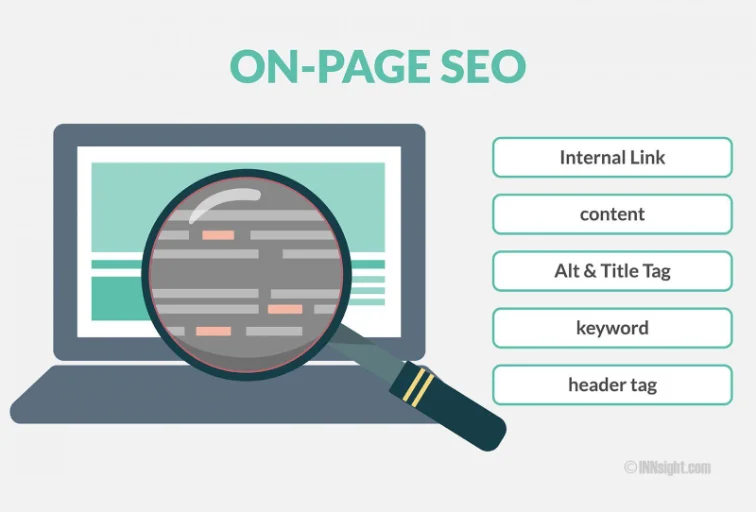
On-page SEO is the process of optimizing individual website pages to improve their relevance, usability, and visibility in search engines.
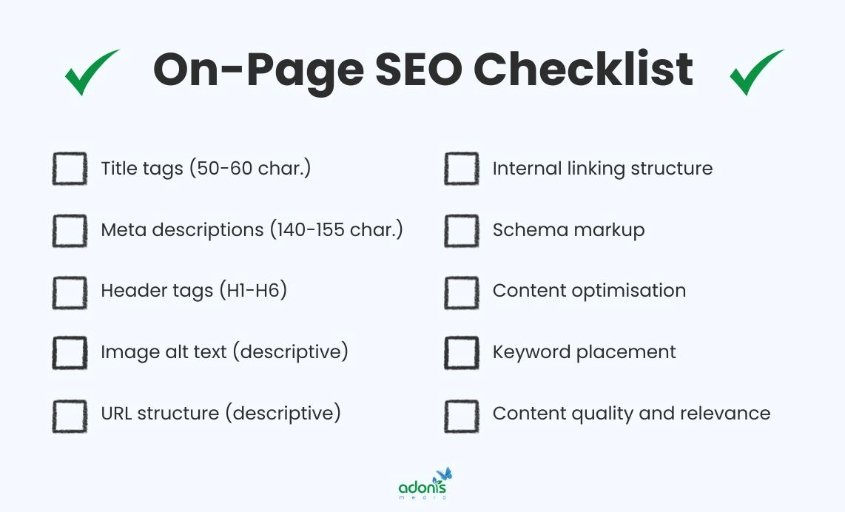
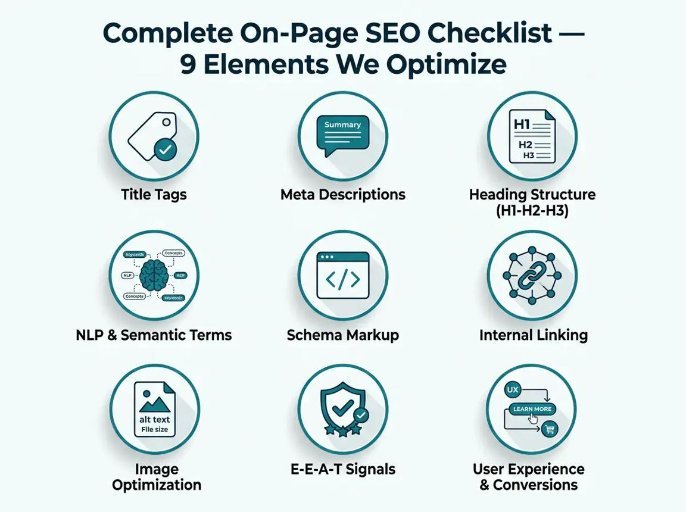
It includes elements such as:
- Page titles.
- Meta descriptions.
- Headings.
- Keyword placement.
- Content quality.
- URL structure.
- Internal links.
- Image optimization.
- User experience.
Unlike off-page SEO, which focuses on external signals such as backlinks and brand mentions, on-page SEO focuses primarily on elements you can control on your own website.
Why Is On-Page SEO Important?
On-page SEO helps search engines interpret your content and helps visitors navigate your website.
Here are some important benefits:
- Improved content relevance: Helps search engines understand your page topic.
- Better user experience: Makes information easier to read and navigate.
- Clear page structure: Organizes content into meaningful sections.
- Improved image accessibility: Descriptive alternative text helps explain images.
- Stronger internal navigation: Connects related articles and pages.
- Better search presentation: Useful titles and descriptions can help searchers understand your page.
- Content quality: Encourages you to answer visitors’ questions more effectively.
On-page SEO does not guarantee first-page rankings, but it provides an important foundation for a well-optimized website.
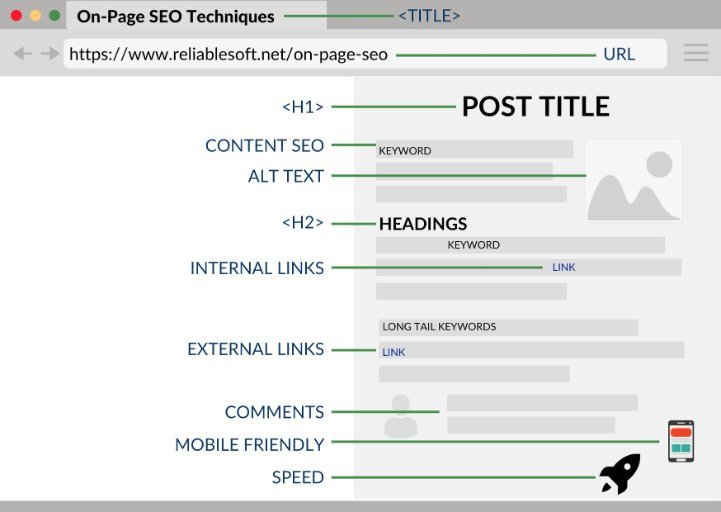
1. Optimize Your SEO Title
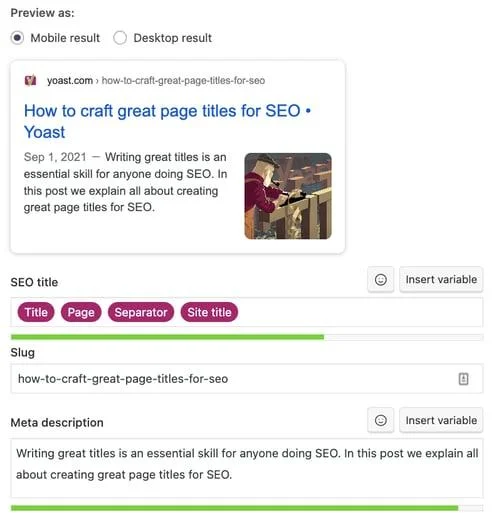
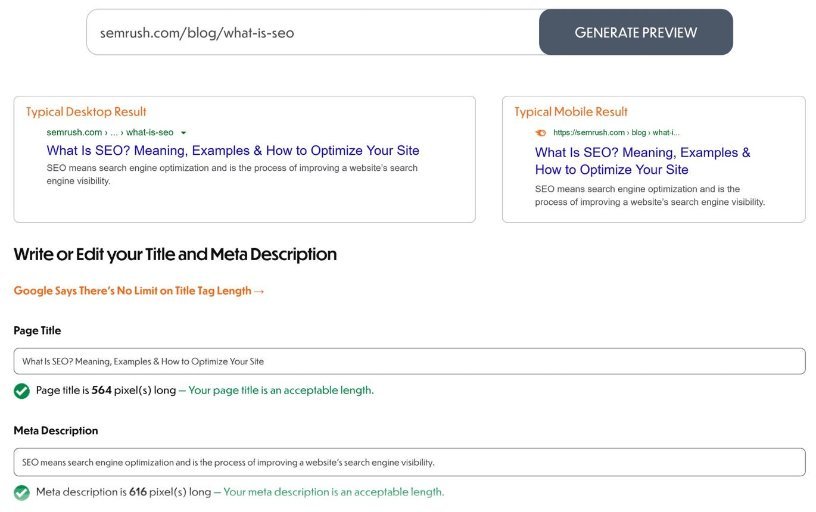
Your SEO title tells searchers what your page is about. It may also appear as the clickable headline in Google search results.
For example:
Weak title: Image Tools
Better title: Free Online Image Tools: Resize, Compress and Convert Images
Follow these practices:
- Include your primary keyword naturally.
- Clearly describe the page.
- Make the title relevant to the actual content.
- Avoid unnecessary keyword repetition.
- Make different pages use descriptive, distinct titles.
Google may generate a different title link based on the page and search query, so your chosen SEO title is not guaranteed to appear exactly as written.
2. Write Helpful Meta Descriptions
A meta description summarizes the content of a webpage.
Example:
“Learn how to optimize website images, improve loading performance, and create a better experience for mobile and desktop visitors.”
Best practices include:
- Summarize the page accurately.
- Include the primary topic naturally.
- Explain what visitors will find.
- Make the description useful and readable.
- Avoid repeating keywords unnaturally.
Google may generate its own search snippet instead of displaying your exact meta description.
3. Use Proper Heading Structure
Headings organize your content into clear sections.
A typical article structure looks like this:
- H1: Main article title.
- H2: Main content sections.
- H3: Supporting subsections.
- H4: Additional details when needed.
Example:
H1: How to Compress Images Online
H2: What Is Image Compression?
H3: Lossy Image Compression
H3: Lossless Image Compression
H2: How to Compress an Image
H3: Choose an Image Format
H3: Adjust Image Quality
Use headings to describe the content that follows. Do not choose heading levels simply because they look visually attractive.
4. Use Keywords Naturally in Your Content
Keywords help describe your page topic, but they should appear naturally.
For example, if your primary keyword is “website image optimization,” you might include related phrases such as:
- Optimize images for websites.
- Image compression.
- Website image formats.
- Improve image loading speed.
- Responsive images.
Use your primary keyword in appropriate places, such as the title, introduction, and a relevant heading when it fits.
Avoid keyword stuffing. There is no universal keyword density percentage that guarantees better rankings.
5. Create High-Quality and Helpful Content
Content quality is one of the most important parts of on-page optimization.
Your article should answer the visitor’s question rather than simply repeat keywords.
Helpful content should:
- Address the main topic clearly.
- Provide accurate information.
- Include useful examples.
- Explain complex ideas in simple language.
- Offer practical steps where appropriate.
- Cover important related questions.
- Avoid unnecessary repetition.
- Be updated when information becomes outdated.
For example, an article about PDF conversion should explain the conversion process, supported formats, limitations, and relevant privacy considerations.
6. Optimize Your URL Structure
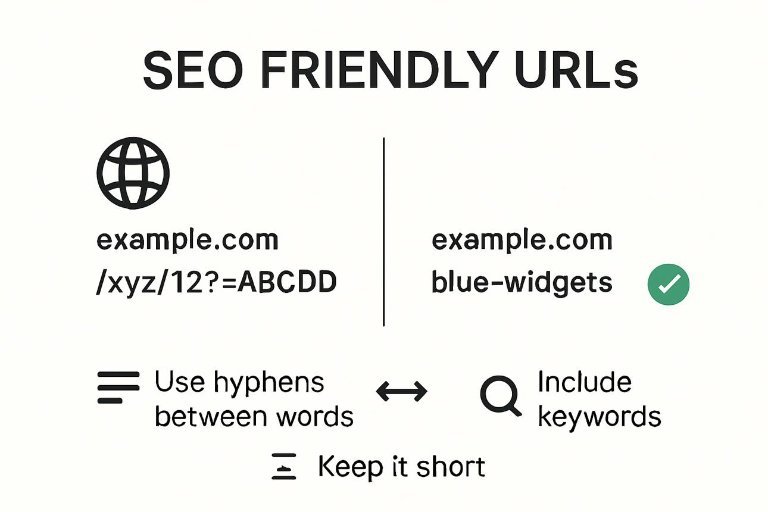
A descriptive URL helps visitors understand what a page contains.
Compare these examples:
Unclear URL:
example.com/page?id=12345
Descriptive URL:
example.com/website-image-optimization/
Good URL practices:
- Keep URLs descriptive.
- Use relevant words.
- Separate words with hyphens.
- Avoid unnecessary parameters.
- Keep the structure consistent.
- Avoid changing established URLs without a good reason.
If you change a published URL, implement an appropriate permanent redirect where necessary to help visitors and search engines reach the new location.
7. Optimize Images for SEO
Images improve the presentation of website content, but poorly optimized images can affect loading performance.
Follow these practices:
- Choose suitable image dimensions.
- Compress images without unnecessarily reducing quality.
- Use appropriate formats such as WebP, JPEG, or PNG.
- Write descriptive alternative text.
- Give image files meaningful names.
- Use responsive image delivery.
- Avoid uploading unnecessarily large files.
Example:
Filename: website-image-optimization.jpg
Alt text: Website image optimization showing image compression and faster page loading.
Alt text should describe the image’s purpose and content. Do not fill it with unrelated keywords.
8. Add Relevant Internal Links
Internal links connect pages within your website.
For example, an article about image optimization could link to:
- Your online image compressor.
- Your image resizer.
- A tutorial about WebP images.
- An article about website speed.
Internal links help visitors discover related information and help search engines understand relationships between pages.
Use descriptive anchor text rather than repeatedly using generic phrases such as “click here.”
9. Add External Links When They Help Readers
External links point to other websites.
Linking to reliable sources can help readers verify information or explore a topic further.
For example, an article about search indexing might link to official Google Search documentation.
Best practices:
- Link to relevant sources.
- Prefer trustworthy and authoritative references.
- Use descriptive anchor text.
- Check that important links still work.
- Do not add unnecessary external links.
External links should provide value rather than exist simply to increase their number.
10. Improve Mobile-Friendliness and Page Experience
Many visitors browse websites using mobile devices. Your pages should work properly across different screen sizes.
Check that:
- Text is readable without zooming.
- Buttons are easy to tap.
- Navigation works on smaller screens.
- Images fit their containers.
- Content does not overflow horizontally.
- Forms and tools work on mobile devices.
Also monitor Core Web Vitals:
| Metric | Good target |
|---|---|
| Largest Contentful Paint (LCP) | 2.5 seconds or less |
| Interaction to Next Paint (INP) | 200 milliseconds or less |
| Cumulative Layout Shift (CLS) | 0.1 or less |
These are Google’s published good thresholds when measured at the 75th percentile. Page experience involves more than these three measurements.
On-Page SEO Checklist
Use this checklist before publishing an article or landing page.
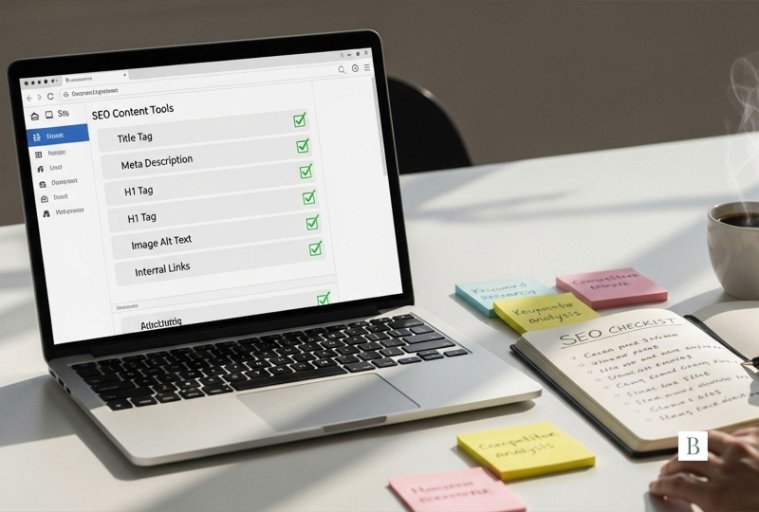
Publishing checklist
0/14 completed
Write a descriptive SEO title
Create a useful meta description
Use one clear main page heading
Organize content with relevant subheadings
Include keywords naturally
Answer the visitor’s search intent
Optimize image size and format
Write descriptive image alt text
Add relevant internal links
Check external links
Test the page on mobile devices
Review page loading performance
Check the page URL
Proofread content before publishing
Reset checklist
Common On-Page SEO Mistakes to Avoid
- Stuffing keywords into every paragraph.
- Writing duplicate titles for different pages.
- Using vague or misleading meta descriptions.
- Publishing thin or incomplete content.
- Ignoring mobile usability.
- Uploading oversized images.
- Using meaningless URL structures.
- Adding irrelevant internal links.
- Using headings only for visual styling.
- Forgetting to update outdated information.
Conclusion
On-page SEO is an essential part of building a search-friendly website. By optimizing titles, descriptions, headings, keywords, content, URLs, images, and internal links, you make your pages easier to understand and more useful to visitors.
Start with the most important pages on your website, follow a consistent optimization process, and review performance regularly. Focus on solving real user problems instead of trying to manipulate search rankings.
Next Article – Article 22: How to Write SEO-Friendly Blog Posts That Rank on Google
Frequently Asked Questions
On-page SEO means improving individual website pages through useful content, descriptive titles, headings, keywords, images, URLs, and internal links.
Focus on content usefulness, search intent, descriptive titles, clear headings, relevant internal links, image optimization, and good page usability.
Yes. WordPress websites can benefit from well-organized content, descriptive URLs, optimized images, and appropriate SEO settings.
Time needed: 5 minutes
On-page SEO illustration showing website content optimization, headings, keywords, images, and internal links.
- Can on-page SEO improve Google rankings?
Good on-page SEO can help search engines understand your content and help visitors use your website. However, rankings depend on many factors, and no optimization guarantees a particular position.