Introduction
Finding relevant keywords is one of the first steps toward building a successful SEO strategy. You do not always need expensive keyword research software to discover useful content ideas. Google itself provides several features that can help you understand what people are searching for.
Google Search Suggestions and Related Searches are two simple ways to discover keyword variations, questions, and topics related to your website.
For example, if you operate a website offering online image tools, searching for “image compressor” may reveal suggestions such as “image compressor online free” or “compress image without losing quality.”
These phrases can inspire new articles, tutorials, and landing pages.
In this guide, you will learn how to use Google search suggestions, related searches, and other search features to discover keyword opportunities and improve your website’s organic visibility.
What Are Google Search Suggestions?

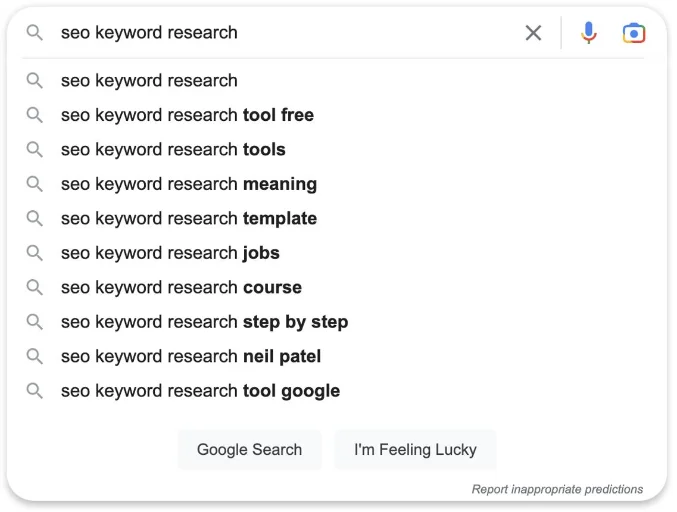
Google Search Suggestions, also called autocomplete, are phrases displayed while you type a search query into Google’s search box.
They are designed to help users complete searches more quickly.
For example, typing “keyword research” may display suggestions related to:
- Keyword research tools
- Keyword research for beginners
- Keyword research examples
- How to do keyword research
- Free keyword research tools
These suggestions can provide ideas about related searches and common ways people phrase their queries.

Why Are Google Search Suggestions Useful for SEO?
They can help you:
- Discover related keyword ideas.
- Find question-based searches.
- Understand how people phrase their searches.
- Identify specific content topics.
- Expand your existing keyword lists.
- Plan helpful FAQ sections.
- Discover long-tail keyword opportunities.
Remember that autocomplete suggestions are not a complete list of searches and do not provide guaranteed search-volume data.
What Are Google Related Searches?
Google Related Searches are suggestions that may appear near the bottom of a search results page.
They help users explore other searches connected to their original query.
For example, searching for “PDF converter” might reveal related topics such as:
- Convert PDF to Word
- PDF to JPG converter
- Free online PDF converter
- Convert PDF files online
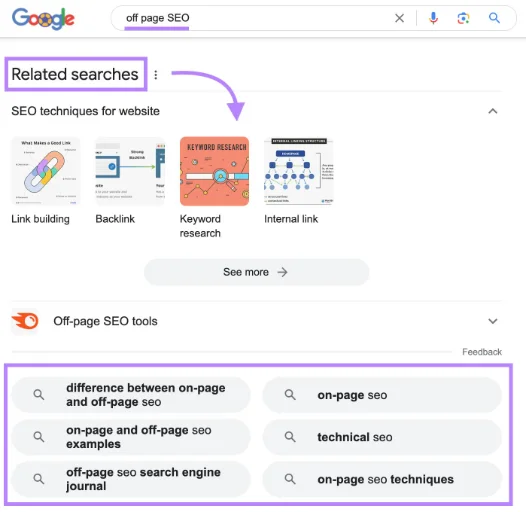
These phrases can help website owners discover additional topics that may be useful to their audience.
How to Find Keywords Using Google Search Suggestions
Follow these steps to collect keyword ideas.
Step 1: Choose Your Main Topic
Start with a topic that is relevant to your website.
Examples:
| Website type | Main topic |
|---|---|
| SEO website | Keyword research |
| Online tools website | Image compressor |
| Food blog | Chicken recipes |
| Technology blog | Android applications |
| Business website | Digital marketing services |
Your keyword research should match your website’s subject and audience.
Step 2: Open Google Search
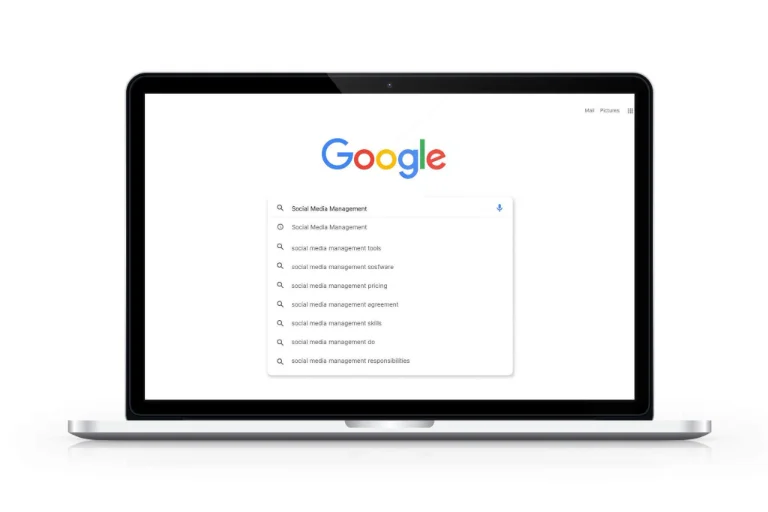
Visit Google Search.
Enter your main keyword into the search box without immediately pressing Enter.
Observe the autocomplete suggestions.
For example, enter:
Image compressor
You may see suggestions such as:
- Image compressor online
- Image compressor free
- Image compressor without losing quality
- Image compressor for JPG
- Image compressor for PNG
The exact suggestions may vary by location, language, search activity, and time.
Step 3: Try Different Keyword Modifiers
Add different words before or after your main keyword.
For example:
Main keyword: PDF converter
Try:
- Best PDF converter
- Free PDF converter
- PDF converter online
- PDF converter for mobile
- How to use a PDF converter
- PDF converter without software
This helps you discover more specific search phrases.
Step 4: Use Question Words
Question-based searches can provide excellent article ideas.
Try these words:
- What
- How
- Why
- When
- Where
- Which
- Can
- Is
For example:
Main keyword: WordPress SEO
Possible research ideas:
- What is WordPress SEO?
- How to improve WordPress SEO
- Why is my WordPress website not ranking?
- Which WordPress SEO plugin is best?
- How to submit a WordPress sitemap to Google?
These searches can become tutorials, guides, and FAQ topics when they match your website’s content.
Step 5: Try Alphabetical Keyword Research
Another simple technique is to add letters after your main keyword.
For example:
- Image compressor a
- Image compressor b
- Image compressor c
- Image compressor d
You can also try placing letters before the phrase:
- Best image compressor
- Free image compressor
- Online image compressor
- JPG image compressor
Not every letter will generate useful suggestions, but the technique can reveal additional variations.
How to Find Keywords Using Google Related Searches
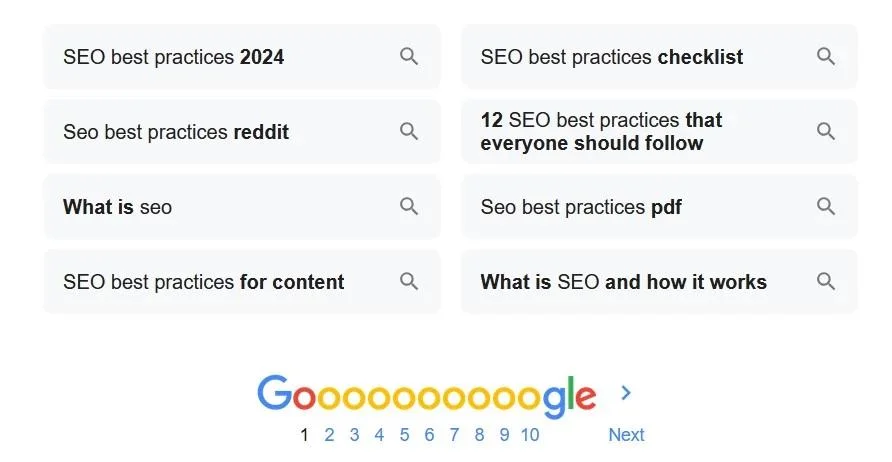
Use this process:
- Open Google.
- Search for your main keyword.
- Review the search results.
- Scroll toward the bottom of the page.
- Find the Related Searches section if displayed.
- Record relevant phrases.
- Search selected phrases individually.
- Group similar searches by topic and intent.
For example, if your main search is “online image editor,” related searches may suggest other image editing topics.
Use these suggestions to identify content opportunities rather than automatically creating a separate page for every phrase.
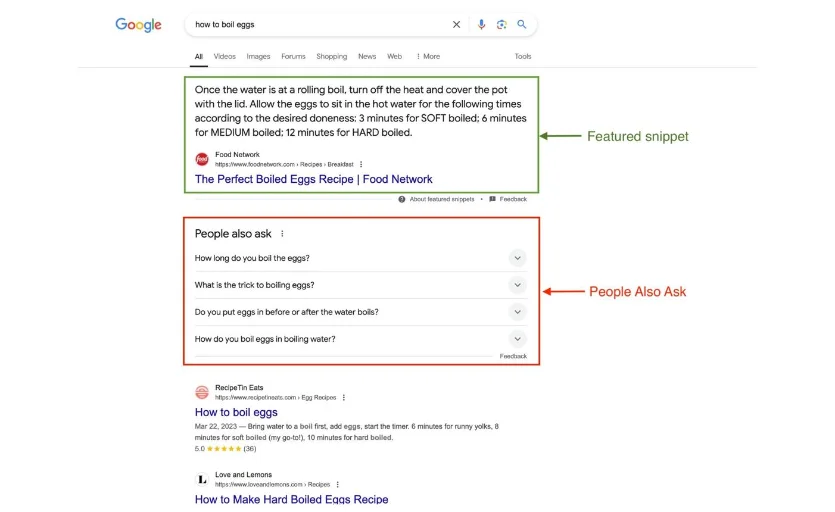
Use Google’s People Also Ask Feature
Google may display a section called People Also Ask in search results.
It contains questions related to the search topic.
For example, searching for “keyword research” may show questions about:
- How do beginners do keyword research?
- What are good SEO keywords?
- Which keyword research tool is best?
- Why is keyword research important?
This feature can help you understand the questions users may want answered.
You can use relevant questions as:
- Article headings
- FAQ questions
- Supporting tutorial topics
- Content updates
- Ideas for new landing pages
Always write original answers that fully address the question.
How to Turn Google Suggestions into SEO Content
Collecting keywords is only the first step. You must organize and evaluate them before publishing content.
Here is a practical workflow.
Step 1: Create a Keyword List
Suppose your website offers PDF tools.
Your research might produce these phrases:
- Compress PDF online
- Convert PDF to Word
- Merge PDF files
- Split PDF pages
- Reduce PDF file size
- Convert JPG to PDF
- Protect PDF with password
Step 2: Group Similar Keywords
Organize them by topic.
| Topic group | Keyword ideas |
|---|---|
| PDF compression | Compress PDF online, reduce PDF size |
| PDF conversion | PDF to Word, JPG to PDF |
| PDF editing | Merge PDF, split PDF pages |
| PDF security | Protect PDF with password |
Step 3: Identify Search Intent
Determine what users expect to find.
| Search phrase | Likely intent | Recommended content |
|---|---|---|
| What is PDF compression? | Informational | Blog article |
| Compress PDF online | Tool-oriented | Working tool page |
| Best free PDF tools | Commercial investigation | Comparison article |
| How to merge PDF files | Informational | Tutorial |
Step 4: Check Existing Google Results
Search each important keyword and examine the pages already ranking.
Ask:
- Does the page format match the search intent?
- Are the results useful and relevant?
- Is the information complete?
- Can your website provide a better solution?
- Does an existing page on your website already cover the topic?
Step 5: Create Helpful Content
Choose the best opportunities and create pages that genuinely satisfy the search.
Do not publish several nearly identical articles just to target small keyword variations.
Other Google Features That Help Find Keyword Ideas
| Google feature | How it helps |
|---|---|
| Autocomplete | Discover search phrase variations |
| Related Searches | Find connected topics |
| People Also Ask | Discover question-based searches |
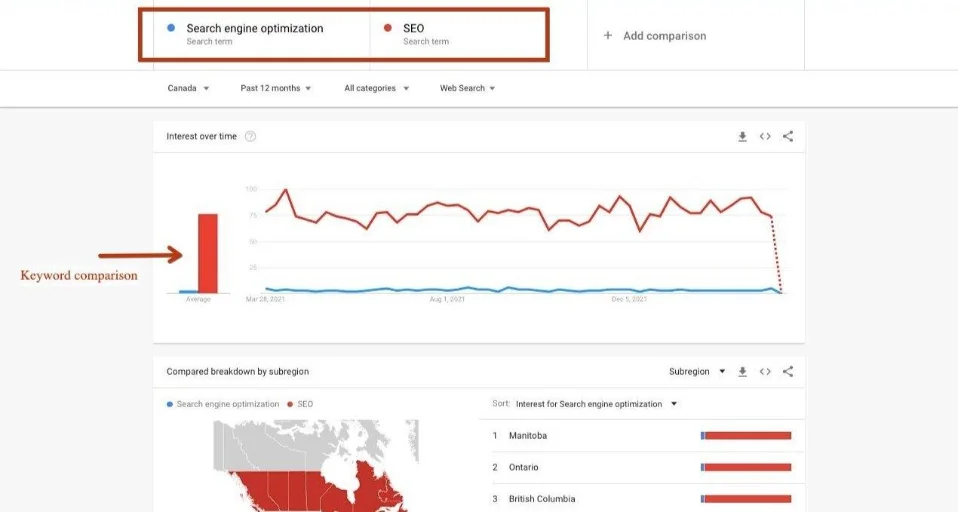
| Google Trends | Compare interest over time |
| Google Images | Explore visual search topics |
| Search Console | Find queries already bringing impressions and clicks |
You can also use Google Trends to compare topics and explore regional interest.
Visit Google Trends to begin.
Practical Tips for Better Keyword Research
- Start with topics closely related to your website.
- Use several keyword variations when researching.
- Explore question-based search phrases.
- Check related searches for additional ideas.
- Compare suggestions from different topics.
- Analyze search intent before creating content.
- Use Google Search Console to discover existing opportunities.
- Organize keywords into meaningful topic groups.
- Avoid creating duplicate pages.
- Update your keyword list as your website develops.
Common Mistakes to Avoid
- Assuming every Google suggestion has high search volume.
- Targeting keywords unrelated to your website.
- Copying autocomplete phrases without understanding intent.
- Creating separate articles for every similar search.
- Ignoring existing pages that already target a topic.
- Treating related searches as guaranteed ranking opportunities.
- Repeating keywords unnaturally.
- Ignoring content quality.
- Forgetting to check actual Google search results.
- Expecting keyword suggestions alone to improve rankings.
Conclusion
Google Search Suggestions and Related Searches are simple and useful ways to discover keyword ideas without relying entirely on paid SEO software.
By exploring autocomplete, question-based searches, People Also Ask, and related phrases, you can better understand the topics people are interested in.
However, successful keyword research requires more than collecting suggestions. You must evaluate relevance, understand search intent, review competing pages, and publish helpful content.
Start with one important website topic, collect relevant search phrases, organize them into groups, and turn the best opportunities into useful articles or working tools.
Next article – Article 16: How to Find Competitor Keywords and Use Them to Improve Your SEO Strategy
Frequently Asked Questions (FAQs)
Yes. They can help you discover keyword variations, questions, and specific searches that may inspire useful content.
They are search suggestions related to the original query. They can be useful for research, but they do not guarantee search volume or ranking opportunities.
Yes. Enter a broad topic and explore the more specific phrases displayed in autocomplete.
Time needed: 5 minutes
Learn how to find keyword ideas using Google Search Suggestions, Related Searches, and People Also Ask for better SEO content.
- How often should I collect keyword suggestions?
Collect ideas whenever you plan new content or review existing pages. Revisit important topics periodically because search behavior can change.