

How to Find Long-Tail Keywords for SEO: A Complete Step-by-Step Guide
Finding the right keywords is essential for growing a website through organic search. However, targeting only popular keywords can make SEO difficult, especially when your website is new or competing against established websites.
One practical strategy is to target long-tail keywords. These are specific search phrases that often reveal exactly what a visitor wants to find.
For example, instead of targeting the broad keyword “image editor,” you could target “free online image editor without watermark.” The second phrase describes a more specific need and may help you attract visitors who are looking for a particular solution.
In this guide, you’ll learn what long-tail keywords are, how to find them, which tools to use, and how to include them naturally in your website content.
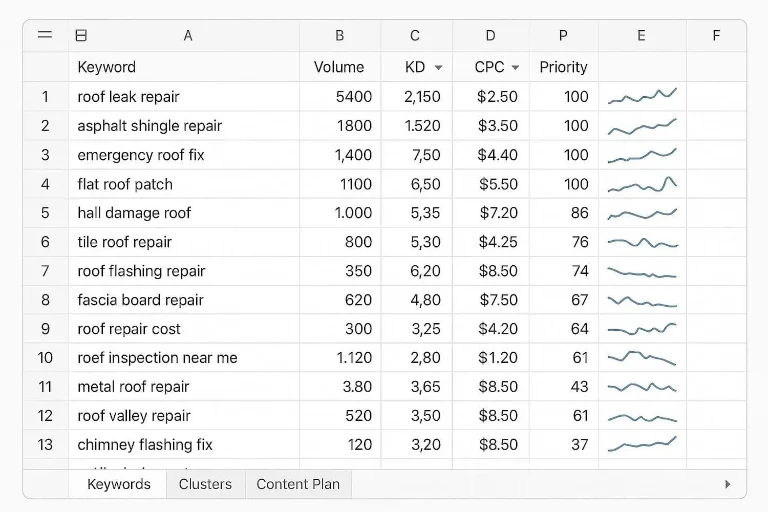
What Are Long-Tail Keywords?
Long-tail keywords are specific search phrases that usually contain several words and target a particular user need.
Examples include:
- Best free image compressor for websites.
- How to convert PDF to Word online.
- Free salary calculator for monthly income.
- How to improve WordPress website speed.
- Best SEO tools for small business websites.
- How to resize images without losing quality.
Long-tail keywords are often more specific than broad keywords. They may have lower individual search volumes, but they can attract visitors with clearer intentions.
Importantly, a long-tail keyword is not defined only by the number of words. Its specificity and search intent also matter.
Why Are Long-Tail Keywords Important for SEO?
Long-tail keywords can support your SEO strategy in several ways.
1. Less Direct Competition in Some Cases
Specific search phrases may have fewer competing pages than broad keywords. This can create opportunities for smaller websites.
However, always examine the actual Google results before assuming a keyword is easy to rank for.
2. More Relevant Visitors
A visitor searching for “free PNG compressor online” has a more specific need than someone searching for “images.”
Content that directly addresses that need may attract more relevant visitors.
3. Better Search Intent Matching
Long-tail phrases often explain what users want.
For example:
- “What is PDF compression?” indicates informational intent.
- “Compress PDF online free” indicates an action-oriented need.
- “Best PDF compressor for large files” indicates comparison intent.
4. More Content Ideas
Long-tail keywords can help you create tutorials, comparisons, product pages, and frequently asked questions.
5. Support Topical Authority
Publishing useful content around related long-tail topics can help build comprehensive coverage of a subject.
Short-Tail vs. Long-Tail Keywords
| Feature | Short-tail keywords | Long-tail keywords |
|---|---|---|
| Length | Usually broad and short | Usually more specific |
| Search volume | Often higher | Often lower individually |
| Competition | Can be strong | Varies by topic |
| Search intent | Sometimes less clear | Often more specific |
| Example | PDF converter | Convert PDF to Word free online |
| Content strategy | Broad topics | Focused topics and questions |
Both keyword types are useful. A balanced SEO strategy can target broad topics while using specific keywords to cover related user needs.
1. Find Long-Tail Keywords Using Google Autocomplete
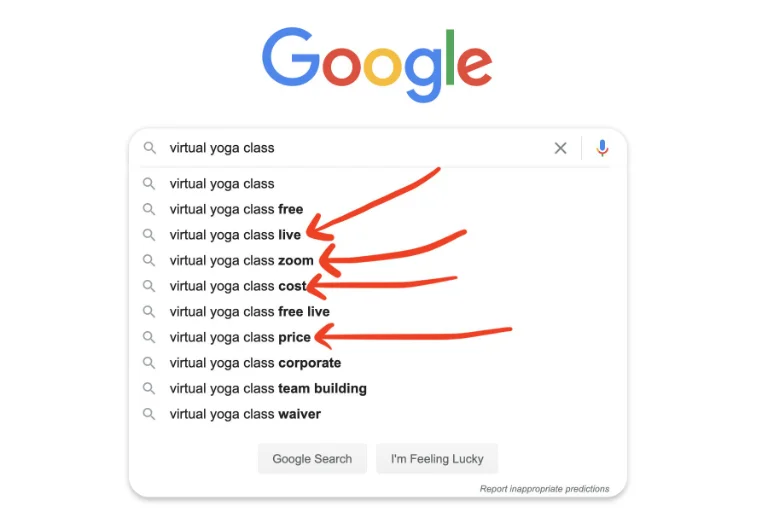
Google Autocomplete is one of the easiest free methods for finding long-tail keyword ideas.
Follow these steps:
- Open Google Search.
- Enter a broad keyword such as “PDF converter.”
- Add words such as free, online, without software, or for mobile.
- Review Google’s suggestions.
- Record relevant search phrases.
- Repeat with different combinations.
For example:
- PDF converter online free.
- Convert PDF to Word without software.
- PDF converter for Android.
- Convert scanned PDF to editable Word.
- How to convert PDF files on mobile.
Choose suggestions that match the services or information your website actually provides.
2. Use Google People Also Ask
Google’s People Also Ask section can reveal questions related to your main topic.
For example, searching for “website speed optimization” might reveal questions such as:
- How can I make my website faster?
- Does website speed affect SEO?
- What is a good website loading time?
- How can I optimize images for a website?
These questions can become long-tail keyword targets or supporting headings in a comprehensive article.
3. Use Google Related Searches
Scroll to the bottom of Google’s search results to find related searches.
These suggestions can provide additional keyword variations.
For example, searching for “image compressor online” may lead to phrases about:
- Compressing JPG images.
- Reducing PNG file size.
- Compressing images without losing quality.
- Free photo compression tools.
You can use these ideas to plan individual tool landing pages or supporting tutorials, depending on the search intent.
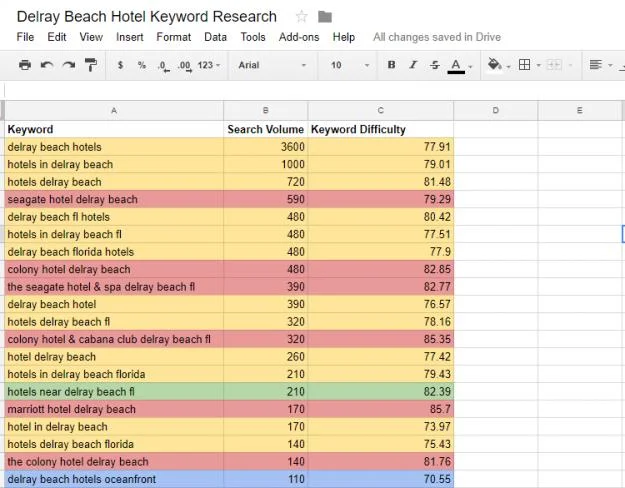
4. Find Long-Tail Keywords Using Free SEO Tools
Several tools can help you discover keyword variations and related questions.
| Tool | Useful feature |
|---|---|
| Google Keyword Planner | Keyword ideas and search estimates |
| Ubersuggest | Related keyword suggestions |
| Ahrefs | Keyword ideas and difficulty estimates |
| Semrush | Keyword Magic and related research |
| AnswerThePublic | Question and phrase discovery |
| Google Trends | Search interest comparisons |
Some features have usage limits or require subscriptions. You can start with Google Search and other free research methods.
5. Use Google Search Console to Discover Long-Tail Opportunities
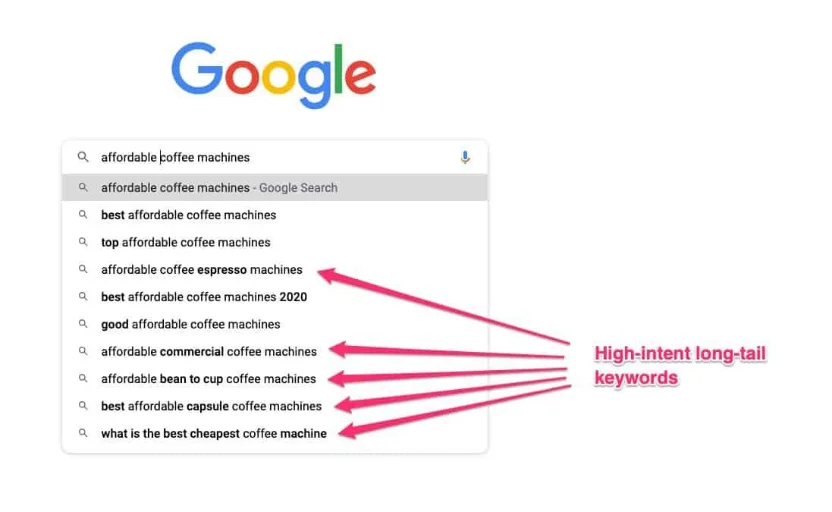
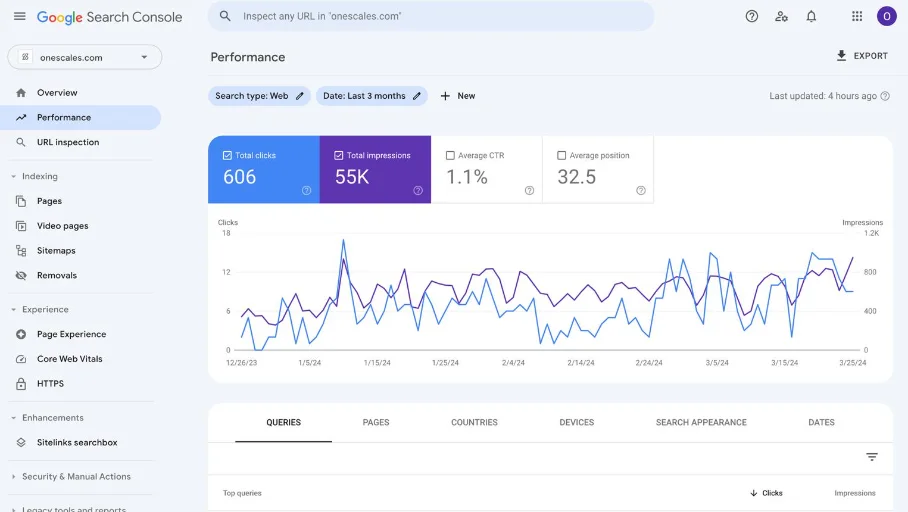
If your website already receives impressions, Google Search Console can help you discover real search queries.
Follow this process:
- Open Google Search Console.
- Select your website.
- Open the Performance report.
- Select the Queries tab.
- Review the search terms bringing impressions.
- Identify specific phrases with relevant search intent.
- Check which pages receive those impressions.
- Improve existing content where necessary.
For example, an online image tool might receive impressions for “resize JPG image for passport online.”
If your page only discusses general image resizing, consider improving it with relevant instructions and information about supported dimensions.
Do not create a new page automatically for every query. Sometimes improving an existing page is the better approach.
6. Find Long-Tail Keywords From Competitor Websites
Competitor research can reveal topics that your website has not covered.
Start by identifying websites that rank for your target subject.
Then:
- Examine their article titles.
- Review their subheadings.
- Look for specific questions they answer.
- Explore their related tutorials.
- Compare their content with your existing pages.
- Identify useful topics that are missing from your website.
SEO platforms such as Ahrefs and Semrush can also help identify competitor keywords and content gaps.
Use this research to discover opportunities, not to copy competitors’ content.
7. Create Long-Tail Keywords Using Search Modifiers
Search modifiers are additional words that make a keyword more specific.
Try combining your main keyword with these modifiers:
| Modifier type | Examples |
|---|---|
| Cost | Free, affordable, low-cost |
| Quality | Best, high-quality, professional |
| Platform | Android, Windows, WordPress |
| Format | JPG, PNG, PDF, MP4 |
| Location | Near me, in Pakistan |
| Problem | Without watermark, without losing quality |
| Audience | For beginners, for students, for small businesses |
| Action | Create, convert, download, compress |
For example, a broad keyword such as “image resizer” can become:
- Free image resizer for Android.
- Resize JPG images online without losing quality.
- Best image resizer for website thumbnails.
- How to resize PNG images without software.
Only use modifiers that accurately describe your tool or content.
How to Choose the Best Long-Tail Keywords
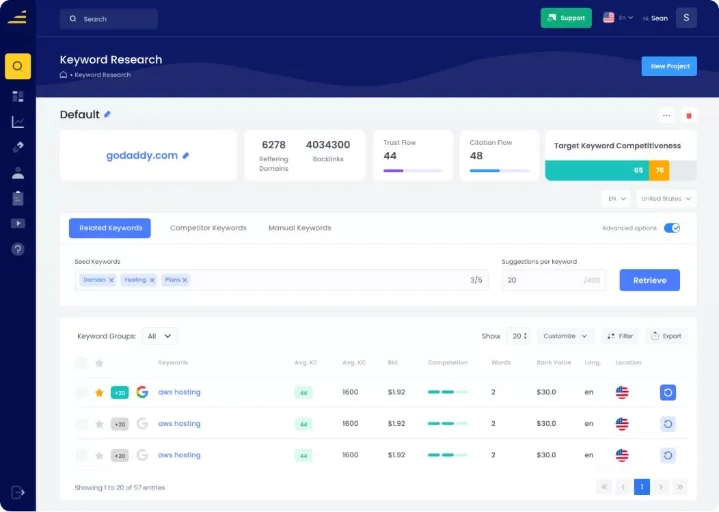
Finding hundreds of keyword ideas is easy. Selecting the right ones requires more careful evaluation.
Consider these five factors:
- Relevance: Does the phrase match your website?
- Search intent: Can your page satisfy the user’s need?
- Competition: Are the current results realistic competitors?
- Search demand: Is there evidence that people search for the topic?
- Content value: Can you provide a genuinely useful answer or solution?
Here is an example keyword planning table:
| Long-tail keyword | Content opportunity |
|---|---|
| How to compress PDF files online | Step-by-step tutorial |
| Free JPG to PNG converter online | Tool landing page |
| How to check website SEO score | Educational article |
| Best free image resizer for websites | Comparison guide |
| How to calculate monthly salary | Calculator landing page |
Common Long-Tail Keyword Mistakes
Avoid these common mistakes when building your keyword strategy:
- Targeting irrelevant phrases just because they have low competition.
- Assuming every long-tail keyword has high conversion potential.
- Repeating the same keyword unnaturally.
- Creating multiple pages for nearly identical search intent.
- Ignoring search results and user expectations.
- Publishing thin content that does not answer the query.
- Relying entirely on third-party search volume estimates.
- Forgetting to link related articles and tools internally.
Conclusion
Long-tail keywords can help you build a focused SEO strategy, especially when you want to reach people searching for specific information or solutions.
Use Google suggestions, keyword research tools, Search Console, and competitor analysis to discover useful phrases. Then evaluate relevance, search intent, and competition before creating content.
The goal is not to collect the largest number of keywords. It is to publish helpful pages that solve real problems and give visitors a reason to stay on your website.
Next Article – Article 20: How to Create a Keyword Research Strategy for Your Website: Complete SEO Guide
Frequently Asked Questions
“How to compress a PDF file online without losing quality” is an example of a specific long-tail keyword.
Some long-tail keywords have less competition, but not all. Their difficulty depends on the subject, competing pages, search intent, and website strength.
Choose one primary keyword and several closely related supporting phrases. Focus on answering the topic naturally instead of targeting an arbitrary keyword count.
Time needed: 5 minutes
Learn how to find long-tail keywords using Google, free SEO tools, and Search Console to discover relevant keywords and grow organic traffic
- Are long-tail keywords good for new websites?
They can be a useful starting point because specific topics may offer more focused opportunities than broad keywords. However, quality and relevance remain essential.



very informative articles or reviews at this time.