Search engines are one of the most important sources of website traffic. Every day, people search online for information, products, services, tutorials, and solutions to their problems. If your website appears near the top of relevant search results, you have a better opportunity to attract visitors without paying for every click.
This is where Search Engine Optimization (SEO) becomes important.
SEO helps website owners improve their content, website structure, and overall online presence so search engines can understand their pages and potentially show them to people searching for related information.
Whether you run a WordPress blog, business website, online store, or tools website, learning SEO can help you build long-term organic traffic.
In this beginner-friendly guide, you will learn what SEO is, how it works, why it matters, and how to start optimizing your website.
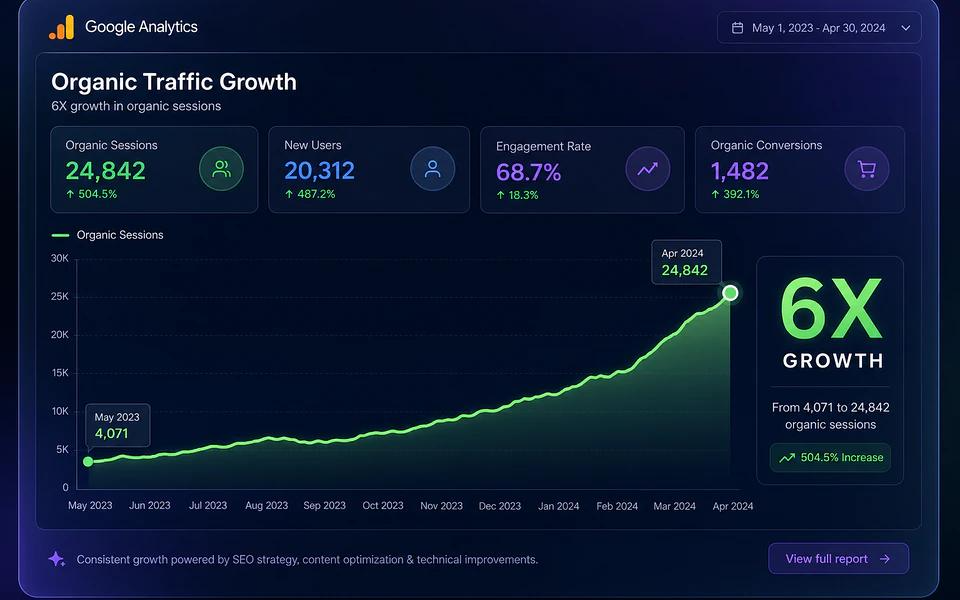
What Is SEO?
SEO stands for Search Engine Optimization. It is the process of improving a website to increase its visibility in unpaid search engine results.
For example, imagine someone searches Google for “best free image compressor.” If your website contains a useful image compressor tool and a well-optimized page explaining how to use it, your page may appear in the search results.
SEO involves several activities, including:
- Finding relevant keywords.
- Writing helpful and original content.
- Improving website loading speed.
- Creating clear page titles and descriptions.
- Making websites mobile-friendly.
- Organizing website navigation and internal links.
- Improving technical website performance.
- Earning relevant, trustworthy backlinks.
SEO does not guarantee a particular ranking. Search engines use many signals to decide which pages appear for different searches.
How Does SEO Work?
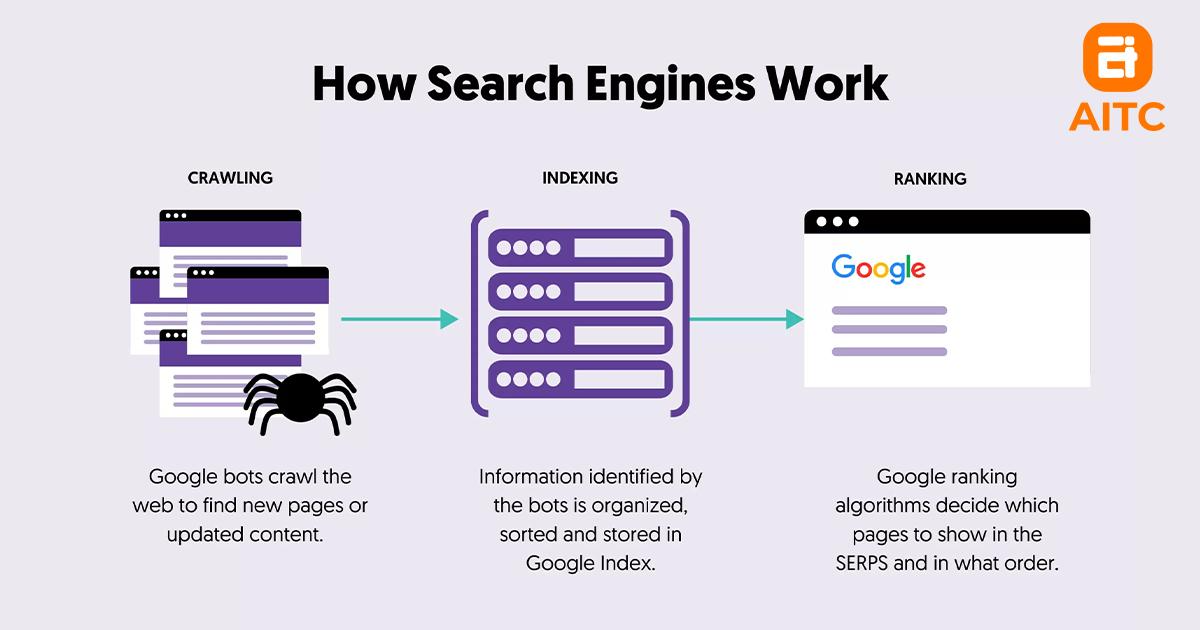
Search engines use automated systems to discover, understand, and organize web pages. When someone performs a search, the search engine selects results that it considers relevant and useful.
The process can be understood through three main stages.
1. Crawling
Search engines use automated programs called crawlers or bots to discover webpages.
These crawlers follow links, inspect website content, and discover new or updated pages.
You can make crawling easier by:
- Creating a clear website structure.
- Adding internal links between related pages.
- Providing an XML sitemap.
- Avoiding unnecessary crawl restrictions.
- Fixing broken internal links.
2. Indexing
After discovering a page, a search engine may analyze and store information about it in its index.
The search engine attempts to understand the page’s subject, content, images, and other relevant information.
However, discovering a webpage does not guarantee that it will be indexed.
To improve your chances:
- Publish useful and original content.
- Avoid unnecessary duplicate pages.
- Make important pages accessible to search engines.
- Check indexing issues in Google Search Console.
- Use appropriate canonical tags where necessary.
3. Ranking
When someone searches for something, the search engine selects and orders pages based on many factors.
These may include relevance, content quality, usability, location, freshness, and the context of the search.
Your goal is to create pages that clearly satisfy the needs of your intended audience.
Main Types of SEO
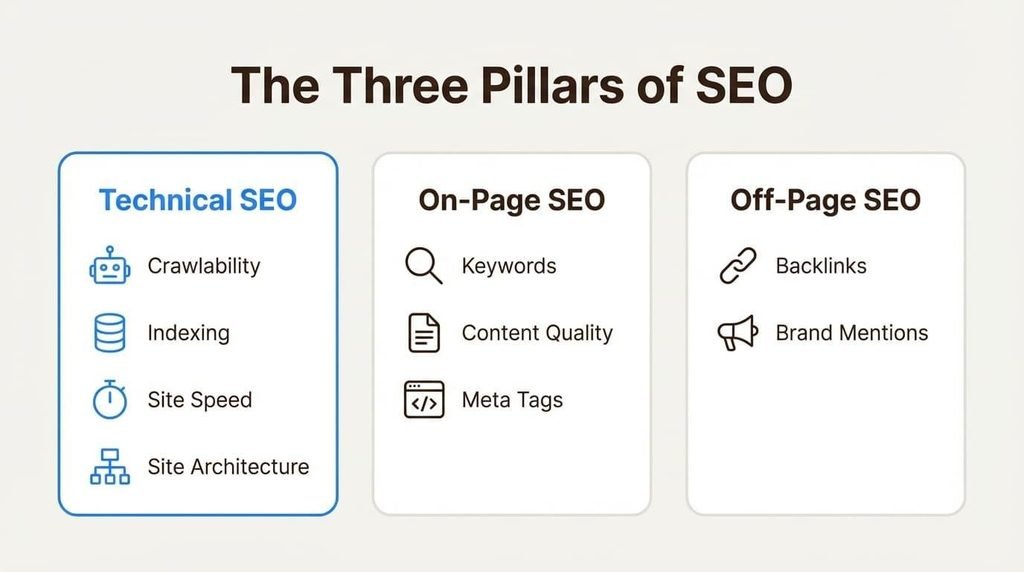
SEO can be divided into several important areas.
1. On-Page SEO
On-page SEO focuses on optimizing elements within your webpages.
Important activities include:
- Writing descriptive SEO titles.
- Using relevant headings.
- Including keywords naturally.
- Creating useful and readable content.
- Optimizing image filenames and alt text.
- Adding relevant internal links.
- Writing helpful meta descriptions.
For example, if you publish an article about website speed, your title, headings, content, and images should clearly relate to website performance.
2. Off-Page SEO
Off-page SEO involves activities outside your website that can help build its reputation and visibility.
Examples include:
- Earning backlinks from relevant websites.
- Publishing useful guest contributions.
- Building genuine industry relationships.
- Getting mentions from relevant publications.
- Promoting original research and useful resources.
Focus on earning natural, relevant links rather than buying large numbers of low-quality backlinks.
3. Technical SEO
Technical SEO helps search engines access, crawl, and understand your website.
Important technical SEO tasks include:
- Improving page loading performance.
- Making your website mobile-friendly.
- Using HTTPS security.
- Creating XML sitemaps.
- Fixing broken pages and redirect problems.
- Implementing suitable canonical tags.
- Managing robots.txt and indexing settings.
- Using structured data when appropriate.
Why Is SEO Important for Your Website?

SEO offers several benefits for bloggers, businesses, and website owners.
1. More Organic Traffic
Well-optimized pages can attract visitors from relevant searches without requiring payment for every click.
2. Better Online Visibility
Appearing in relevant search results can introduce your website to people who have never visited it before.
3. Long-Term Marketing Value
A useful article can continue attracting visitors after publication, although rankings and traffic may change over time.
4. Improved User Experience
Many SEO improvements, such as clearer navigation, readable content, and faster loading pages, also help visitors.
5. More Business Opportunities
Relevant organic visitors may become customers, subscribers, app users, or returning readers.
6. Better Content Strategy
Keyword research and search intent help you understand what your audience wants to learn.
How to Start SEO for a New Website
If you are starting a new website, follow these practical steps.
Step 1: Choose a Clear Website Topic
Decide what your website will cover. A focused website makes it easier to organize content and serve a particular audience.
Step 2: Research Keywords
Find phrases people actually search for. Choose relevant keywords that match your content and the needs of your audience.
Step 3: Create Helpful Content
Write original articles that answer real questions. Use clear headings, practical examples, useful images, and accurate information.
Step 4: Optimize Your Pages
Write descriptive titles, meta descriptions, headings, image alt text, and relevant internal links.
Step 5: Make Your Website Mobile-Friendly
Check how your website looks and works on smartphones, tablets, and desktop computers.
Step 6: Set Up Google Search Console
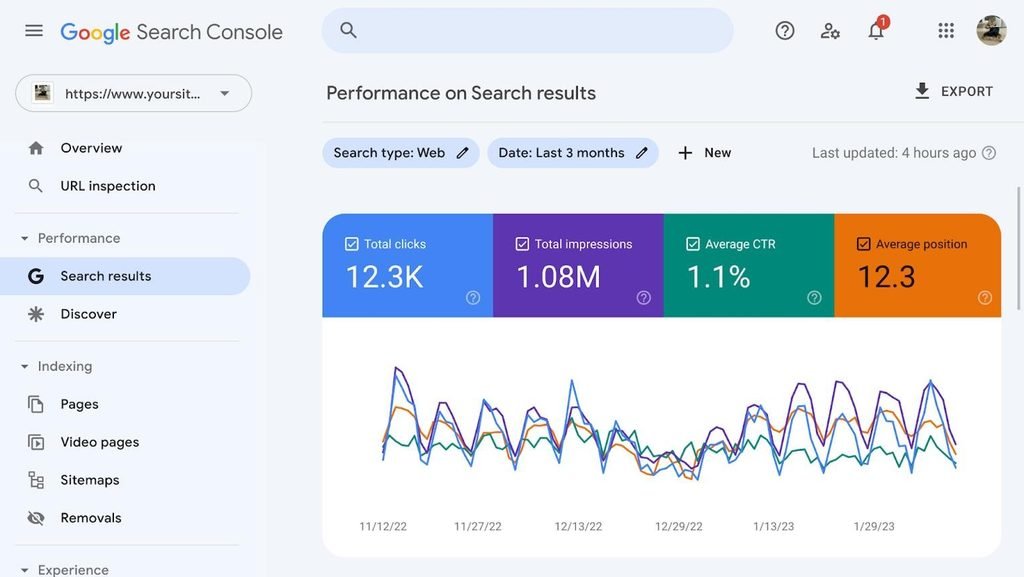
Google Search Console helps website owners monitor search performance, inspect indexing information, submit sitemaps, and identify certain technical problems.
You can access it at Google Search Console.
Step 7: Monitor Your Progress
Review impressions, clicks, search queries, indexed pages, and website performance. Use the information to improve existing content and plan future articles.
Common SEO Mistakes Beginners Should Avoid
New website owners sometimes make mistakes that prevent their content from performing well.
Avoid these common problems:
- Keyword stuffing: Repeating keywords unnaturally makes content difficult to read.
- Copying content: Publishing copied or lightly rewritten articles provides little original value.
- Ignoring mobile users: A difficult mobile experience can frustrate visitors.
- Buying spam backlinks: Manipulative link schemes can create search policy problems.
- Publishing thin content: Pages should provide meaningful information rather than existing only to target keywords.
- Ignoring technical problems: Broken links, incorrect indexing settings, and slow pages can affect website usability and search visibility.
- Expecting instant results: SEO usually requires consistent work and patience.
Best Free SEO Tools for Beginners
You do not need expensive software to begin learning SEO.
| Tool | Main Purpose |
|---|---|
| Google Search Console | Search performance and indexing |
| Google Analytics | Website visitor analysis |
| Google Keyword Planner | Keyword research |
| Google Trends | Search interest trends |
| PageSpeed Insights | Page performance testing |
| Rich Results Test | Structured data testing |
| Bing Webmaster Tools | Bing search visibility |
Start with the free tools and learn how to use their reports before investing in premium SEO software.
Conclusion
Search Engine Optimization is an important part of building a successful website. It helps search engines understand your pages and gives your content an opportunity to reach people searching for relevant information.
Start with keyword research, helpful content, on-page optimization, technical improvements, and Google Search Console. Monitor your progress and keep improving your website based on real performance data.
SEO is not a shortcut to instant traffic. It is a long-term process built around useful content, a good user experience, and consistent improvement.
Frequently Asked Questions
SEO stands for Search Engine Optimization. It is the process of improving a website’s visibility in unpaid search engine results.
Organic search listings do not require payment per click. However, SEO can involve costs for content creation, website development, tools, and professional services.
There is no fixed timeline. Results depend on competition, website history, content quality, technical condition, and other factors. Meaningful improvements may take several months.
Learn what SEO is, how search engines work, and how beginners can improve website rankings and grow organic traffic with practical SEO tips.
- 5. Is WordPress good for SEO?
Yes. WordPress provides useful features and plugins for SEO. However, good rankings still depend on content quality, technical setup, and overall website usefulness