Introduction
Do you want to discover which keywords your competitors are targeting and find new opportunities to improve your website’s Google rankings?
Competitor keyword research is an important part of search engine optimization. It helps you understand what topics other websites cover, which search terms bring them organic traffic, and where your website may have opportunities to compete.
For example, if you operate an online tools website, your competitors might receive visitors through searches such as “free image compressor,” “PDF converter online,” or “best SEO checker.”
By researching these topics, you can discover useful content ideas and improve your own SEO strategy.
In this guide, you will learn how to find competitor keywords, analyze competing websites, use keyword research tools, and turn your findings into a practical content plan.
What Is Competitor Keyword Research?
Competitor keyword research is the process of identifying and analyzing the search terms that competing websites appear for in search engine results.
It helps you understand:
- Which topics competitors cover.
- Which keywords their pages target.
- What types of content attract search visibility.
- Which related topics you may be missing.
- Where your website can provide more useful information.
The goal is not to copy competitors. It is to understand the market, identify content gaps, and create better resources for your audience.
Why Is Competitor Keyword Research Important?
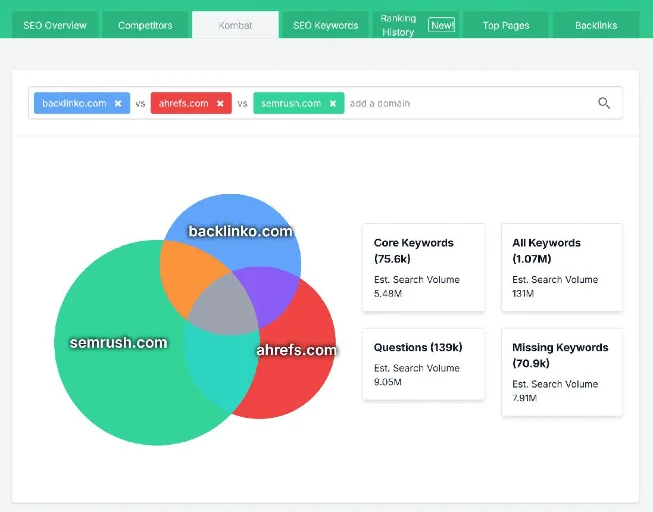
There are several reasons to analyze competitor keywords.
1. Discover New Keyword Ideas
Competitor websites may reveal search topics you have not considered.
2. Understand Your Industry
You can identify popular subjects, frequently covered questions, and important topics in your niche.
3. Find Content Gaps
You may discover searches that competitors cover poorly or that your website has not addressed.
4. Improve Your Content Strategy
Keyword research helps you plan articles, tutorials, comparison pages, and useful landing pages.
5. Identify Ranking Opportunities
Comparing your pages with competing results can reveal where your content needs improvement.
How to Identify Your SEO Competitors
Your SEO competitors are websites that compete with your pages in search results. They may be different from your direct business competitors.
For example, a website offering free PDF tools may compete in Google results with software companies, tutorial websites, and other online utilities.
Follow these steps:
- Choose your main website topic.
- Search for your most important keywords on Google.
- Review the websites appearing in organic results.
- Identify websites covering similar topics.
- Select three to five relevant competitors.
- Record their URLs and important pages.
Focus on websites competing for the same audience and search intent.
7 Ways to Find Competitor Keywords
1. Use Google Search Manually
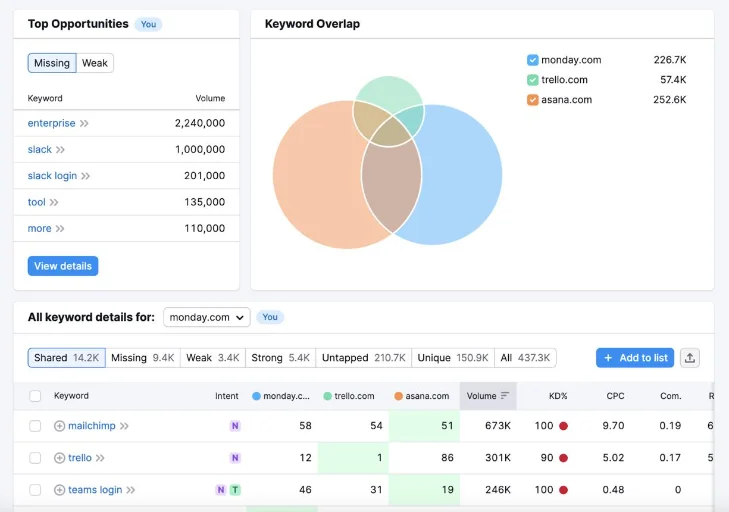
Google Search is a simple starting point.
Search for keywords related to your website and examine the organic results.
For example, if your website provides SEO resources, search:
- Keyword research tools
- How to improve website rankings
- Technical SEO checklist
- Best SEO tools for beginners
Open relevant competitor pages and examine their:
- Page titles
- Main headings
- Subheadings
- Topics covered
- Frequently answered questions
- Internal links
This provides useful clues about their content strategy, although it does not reveal every keyword they rank for.
2. Use Ahrefs
Ahrefs provides SEO research features that can help analyze competing websites.
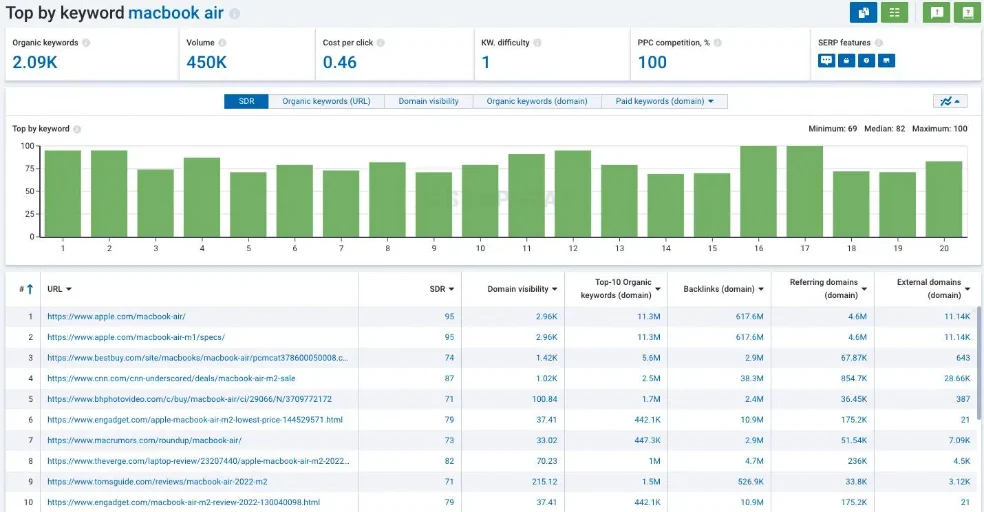
Visit Ahrefs official website.
You can use its available features to explore:
- Organic keywords
- Top-performing pages
- Competitor websites
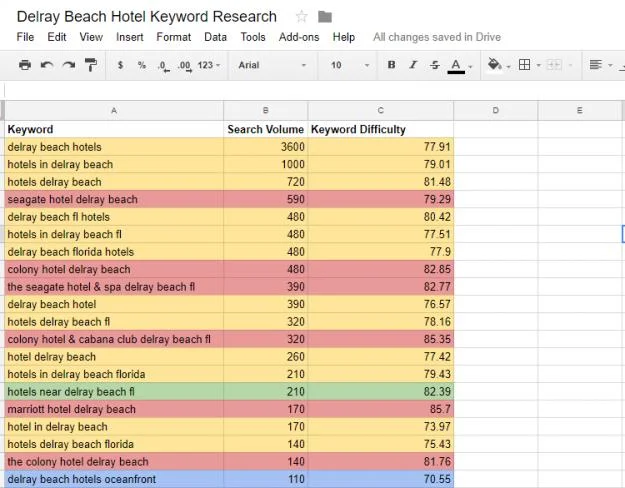
- Keyword difficulty estimates
- Backlink profiles
- Content gaps
Some research features require a paid subscription.
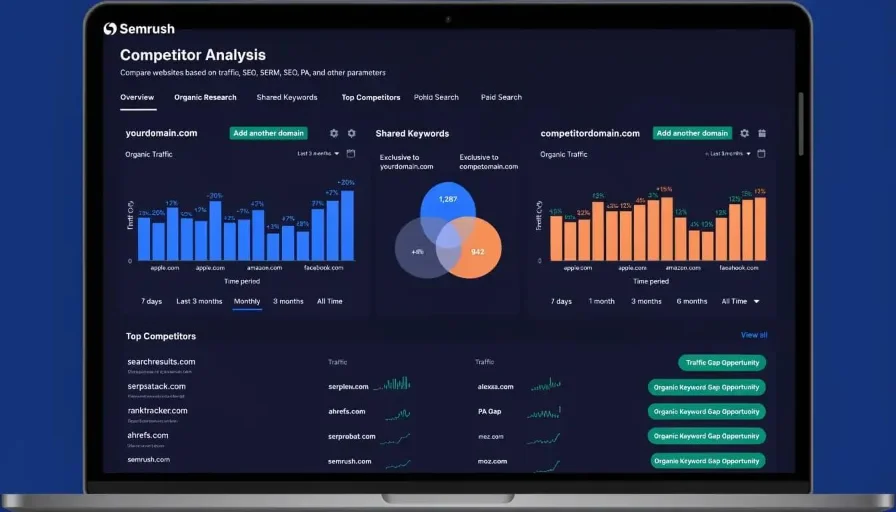
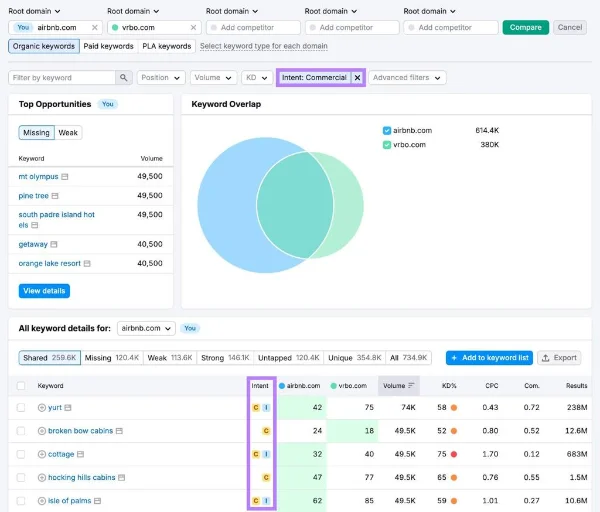
3. Use Semrush
Semrush is another platform for competitor and keyword research.
Visit Semrush official website.
Its keyword and competitor research features can help you identify:
- Competitor organic search terms
- Estimated search traffic
- Keyword positions
- Keyword gaps
- Competing landing pages
- Related keyword opportunities
Use these estimates as research indicators rather than exact traffic figures.
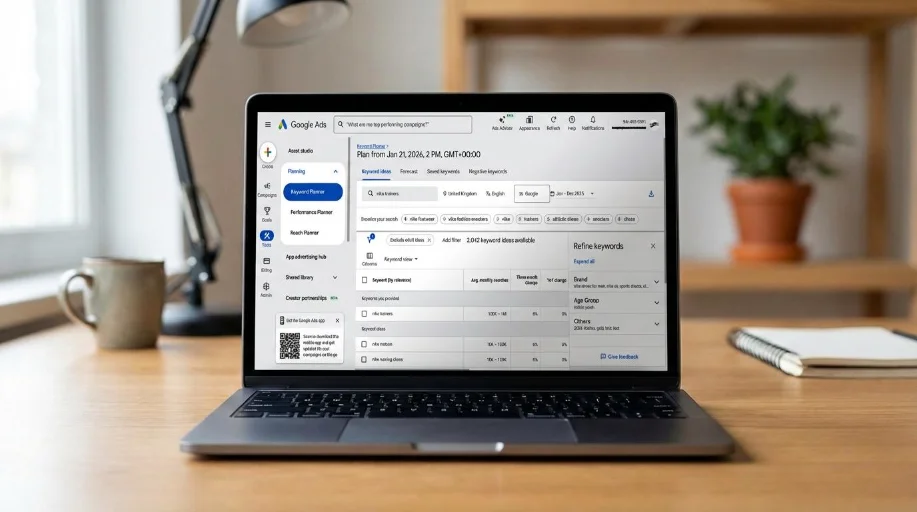
4. Use Google Keyword Planner
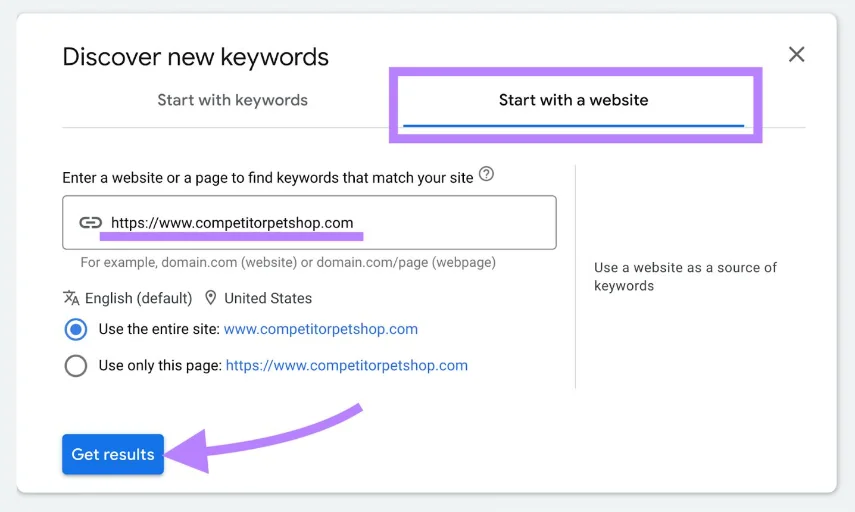
Google Keyword Planner can generate keyword ideas using a website URL.
Basic process:
- Open Google Ads.
- Access Keyword Planner.
- Select Discover New Keywords.
- Choose the option to start with a website.
- Enter a relevant competitor URL.
- Review the suggested keywords.
- Save relevant ideas for further analysis.
The suggestions can help identify topics associated with a website. They do not represent a complete list of that competitor’s organic rankings.
5. Analyze Competitor Blog Articles
Read the important articles published by competing websites.
Look for:
- Main topics
- Search questions
- Related phrases
- Tutorial subjects
- Comparison opportunities
- Missing explanations
For example, if a competitor publishes an article about PDF compression, you might discover opportunities for a more detailed guide explaining compression settings, supported formats, and file-size limitations.
Do not copy their writing or structure word for word. Create original content with genuine additional value.
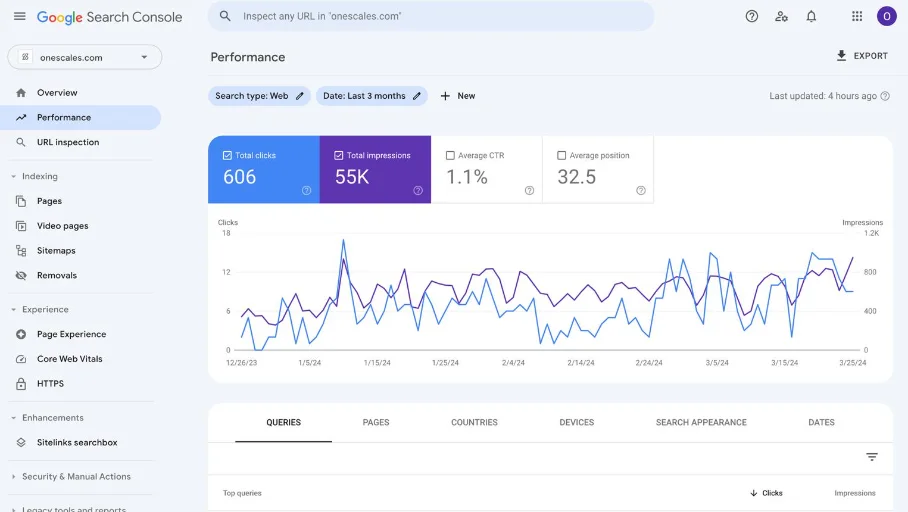
6. Use Google Search Console for Your Own Website
Google Search Console does not reveal competitors’ private keyword reports, but it can help you compare your own visibility with the topics you discover.
Visit Google Search Console.
Review:
- Search queries
- Impressions
- Clicks
- Click-through rate
- Average position
- Pages receiving search traffic
You can use these insights to find opportunities where your website already has some visibility but could benefit from better content.
7. Use Google Trends to Compare Topics
Google Trends helps compare search interest over time.
Visit Google Trends.
You can compare related topics, explore regional interest, and identify seasonal patterns.
This can help you decide which competitor topics are worth researching further.
Competitor Keyword Research Example
Suppose you operate an online tools website and want to improve your image tools section.
You identify a competitor that offers image compression, resizing, and conversion features.
Your research might produce this example:
| Competitor keyword idea | Your content opportunity |
|---|---|
| Image compressor online | Improve your image compressor page |
| Resize image online | Create a useful resizing tool |
| Convert JPG to PNG | Develop an image conversion page |
| Reduce image size in KB | Publish a detailed tutorial |
| Compress images for websites | Create an optimization guide |
| Best free image tools | Write an original comparison article |
These are example opportunities, not verified competitor ranking data.
Before creating a page, check its search intent, existing content, and whether your website can offer something useful.
How to Create a Competitor Keyword Gap Analysis
A keyword gap analysis compares the topics and keywords your website covers with those of your competitors.
Example keyword gap worksheet
| Topic | Your website | Competitor | Action |
|---|---|---|---|
| Image compression | Yes | Yes | Improve content |
| PDF conversion | Yes | Yes | Review search intent |
| Image resizing | No | Yes | Research opportunity |
| Word counter | Yes | No | Expand useful content |
| SEO checker | No | Yes | Evaluate opportunity |
Illustrative example only. Competitor coverage does not prove ranking or search demand.
Use this process:
- List your important website topics.
- Record the topics covered by competitors.
- Identify relevant subjects missing from your website.
- Check search intent and competition.
- Prioritize useful opportunities.
- Create or improve pages.
- Monitor results in Search Console.
Best Practices for Competitor Keyword Research
- Research several relevant competitors rather than relying on one.
- Focus on organic keywords related to your website.
- Prioritize search intent over keyword volume alone.
- Identify missing topics and content weaknesses.
- Create original articles and working tools.
- Avoid keyword stuffing.
- Improve existing pages when they already cover the subject.
- Track keyword performance after publishing.
- Revisit competitor research periodically.
- Focus on helping visitors rather than copying rankings.
Common Mistakes to Avoid
- Copying competitor articles.
- Targeting every keyword a competitor uses.
- Assuming estimated competitor traffic is exact.
- Ignoring search intent.
- Choosing unrelated competitors.
- Creating duplicate pages for similar keywords.
- Focusing only on high-volume keywords.
- Ignoring your website’s existing strengths.
- Publishing thin content to fill keyword gaps.
- Expecting competitor research to guarantee rankings.
Conclusion
Competitor keyword research helps you understand what other websites are covering and discover opportunities to improve your own search strategy.
Start by identifying relevant competitors, reviewing their important pages, and using keyword research tools to discover additional topics. Compare their content with your website and focus on areas where you can provide more complete, useful, and original information.
Remember, successful SEO is not about copying competitors. It is about understanding your audience and creating better resources that genuinely meet their needs.
Next article – Article 17: What Is Keyword Difficulty? How to Measure SEO Competition and Choose the Right Keywords
Frequently Asked Questions (FAQs)
It is the process of identifying and analyzing keywords that competing websites target or appear for in search engine results.
You can use tools such as Ahrefs and Semrush, examine competitor pages manually, and generate website-based ideas through Google Keyword Planner.
You can target relevant keywords when you have a useful page that satisfies the search intent. However, you should also explore underserved topics and unique content opportunities.
Time needed: 5 minutes
Learn how to find competitor keywords, analyze SEO gaps, and discover new content opportunities to improve organic search visibility.
- Does competitor keyword research improve Google rankings?
It can help you make better content decisions, but rankings depend on many factors, including relevance, content quality, technical SEO, competition, and overall website performance.